

Bucket & Code Remote lets you work with Bucket & Code on your QNAP NAS from your phone. It has five tabs: Terminal, AI, Buckets, Code and Build.
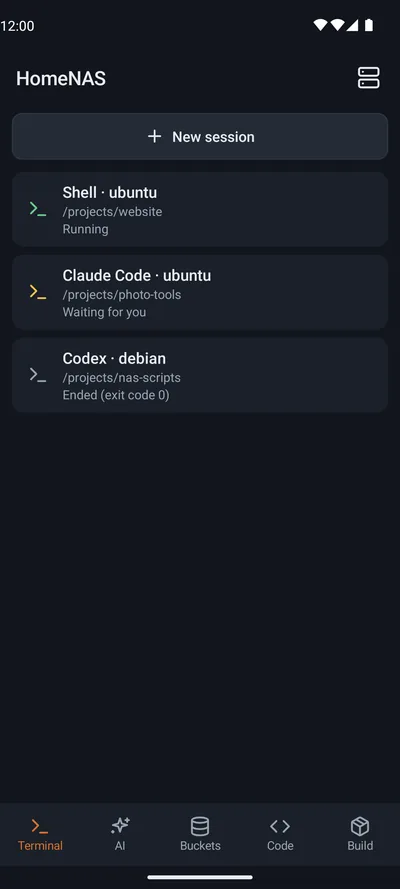
- Terminal lists your sessions on the NAS and marks one that waits for your answer. If the connection drops, the session stays on the NAS.
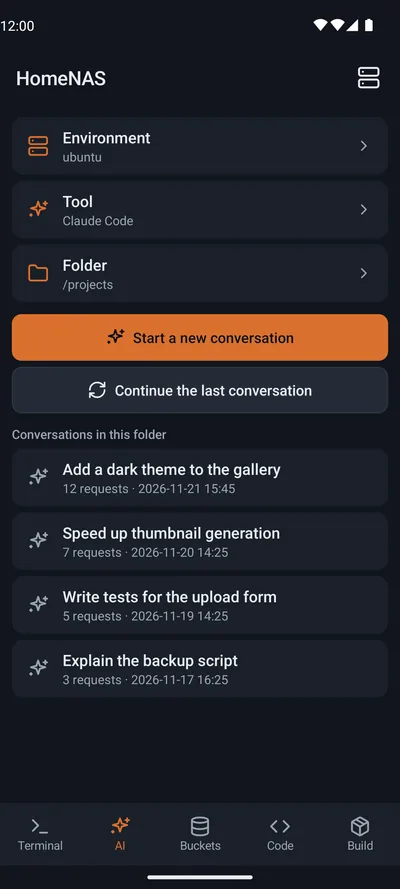
- AI starts Claude Code, Codex or Gemini, installed in an environment, in a folder that you pick, or continues an earlier conversation.
- Buckets opens text files and pictures from the buckets that your account may read.
- Code shows your projects and their files, read only.
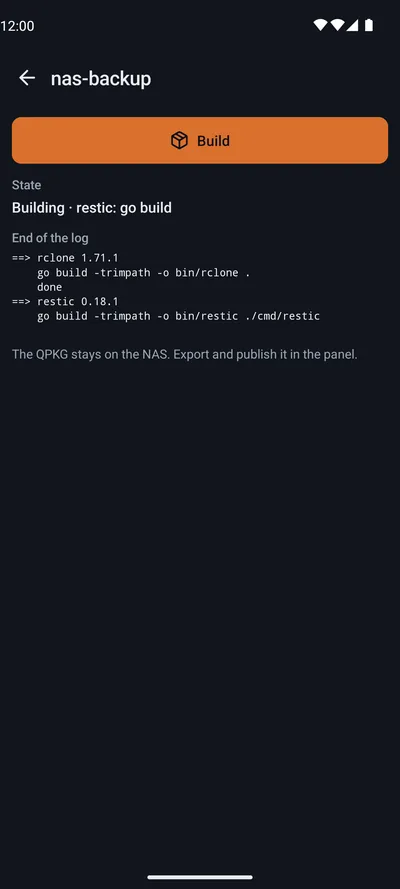
- Build starts an App Builder build after a confirmation and shows its state and the end of its log.
Where to get it
- F-Droid: add our repository
https://pub.qnaputilities.com/fdroid/repo, then search for Bucket & Code. The fingerprint is on the app's page. - APK 1.0.0: the Download the APK button on the app's page.
Pair it with your NAS
- On a computer on your home network, open the Bucket & Code panel and go to Phone app › Pair a phone.
- Connect the phone to the same network. In the app, tap “Add server”, then “Scan the QR code”.
- Or type the address and the code from the page. Pair only if the app shows the same certificate fingerprint.


