

From search to screen.
Maximum performance & total control
Your QNAP. Your rules!
rtorrent 0.16.22, built from source for QTS 6 and QuTS hero, with ruTorrent and a Control Center of its own. One QPKG, x86_64 or arm_64, nothing on the system volume, nothing phoning home.
What it is: a torrent client that tells you what it is doing — and why.
Who it is for: a QNAP running QTS 6.x or QuTS hero h5.2+ (glibc 2.39).
Try before you install: the whole panel, live, on an invented NAS.
The dashboard answers the only question that matters
Rates, torrent counts, disk left — and a port check that walks the entire path instead of guessing: something listening here, the router's mapping, a connection from outside, IPv6. Each step passes or fails on its own line, so you know which half is broken.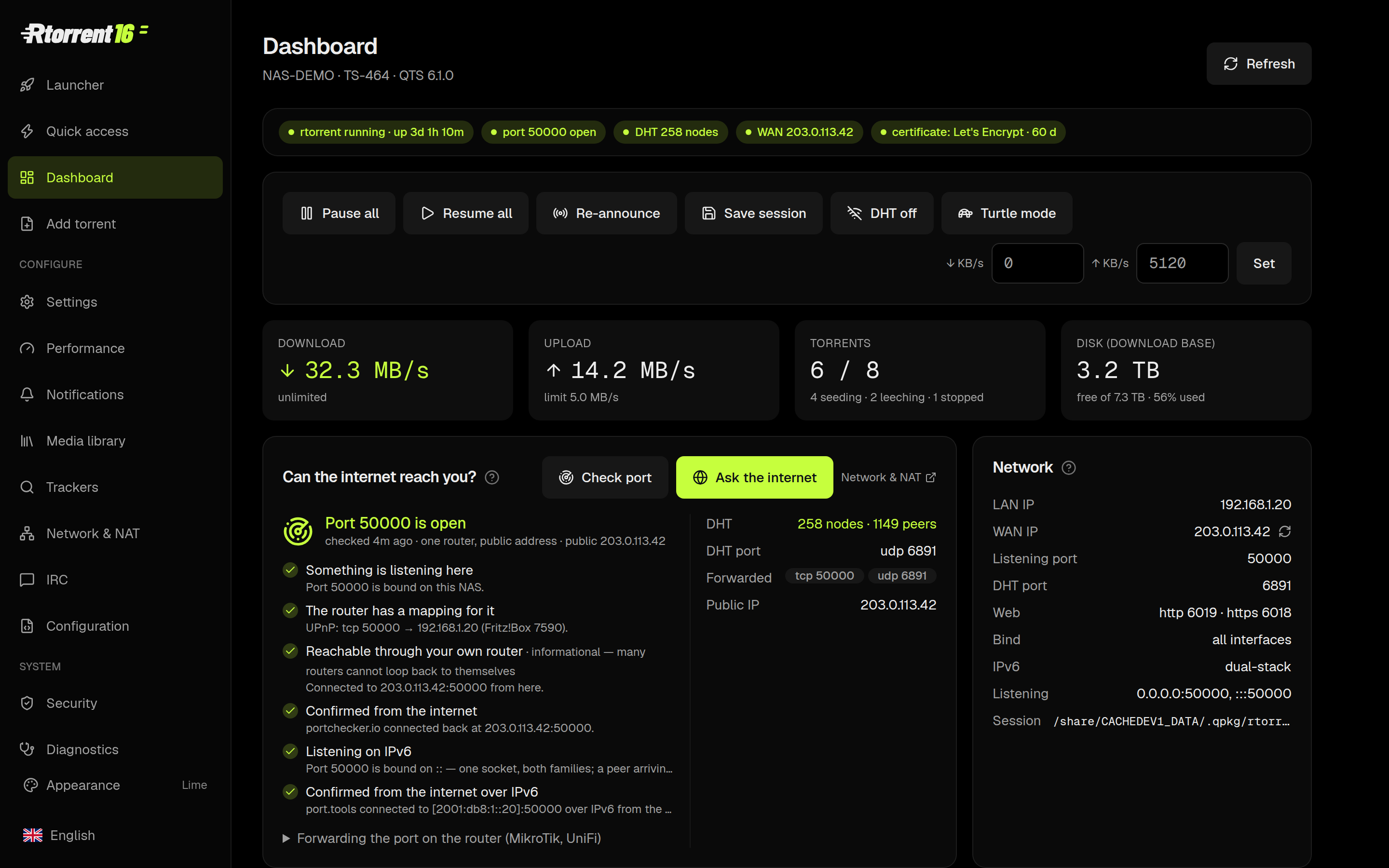
Quick access — the list, without the weight
Start, pause, trash, re-announce, set a label. ruTorrent is still there for everything else, one click away; this is the page for the ninety per cent of days when you only want to see what is arriving.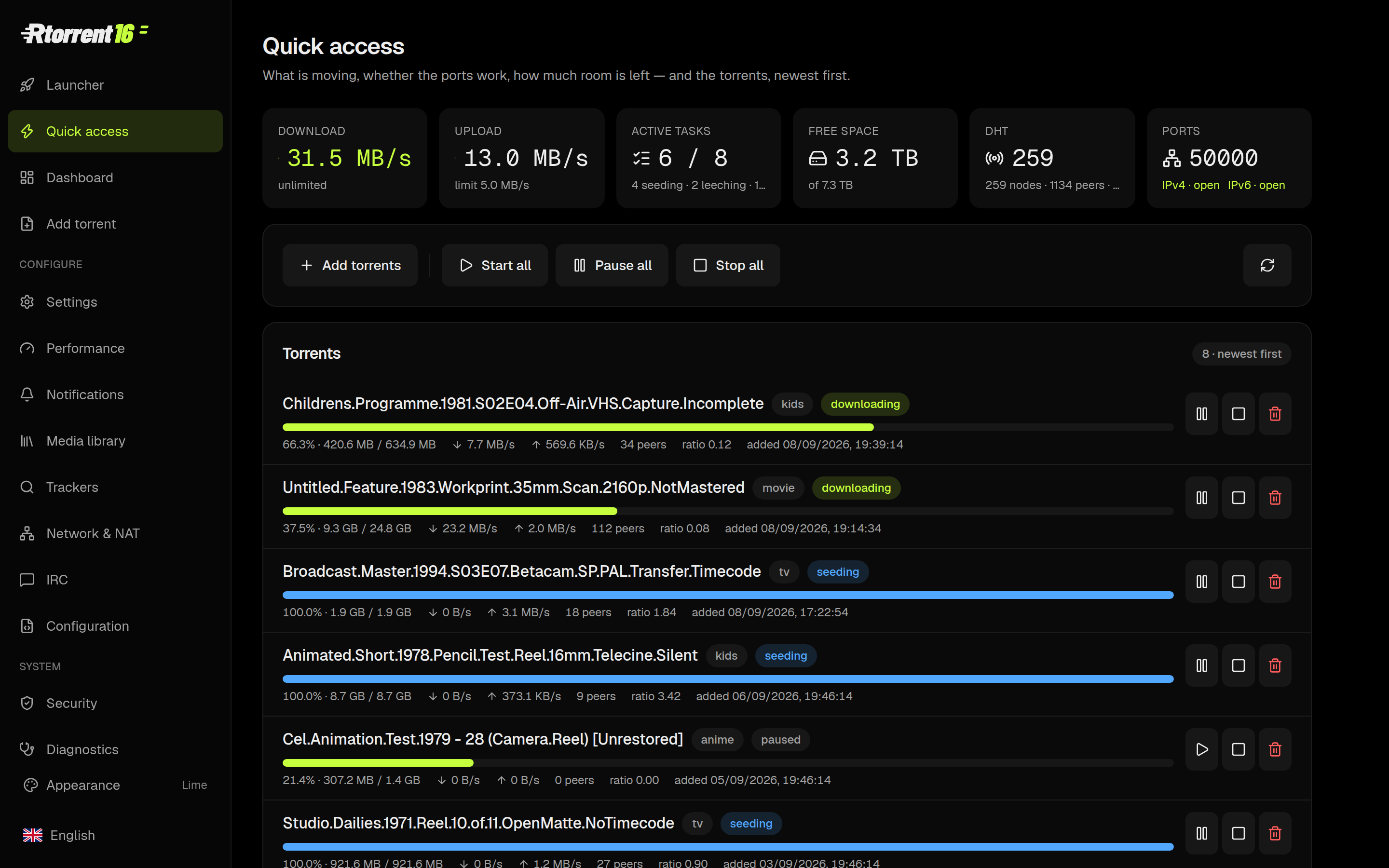
Drop a .torrent in, it works out where it goes
The Add page reads the name and picks the category — film, series, kids, music, game — and the label decides the folder. Magnets, files, RSS from ruTorrent, or a watch folder per label: four ways in, one place they land.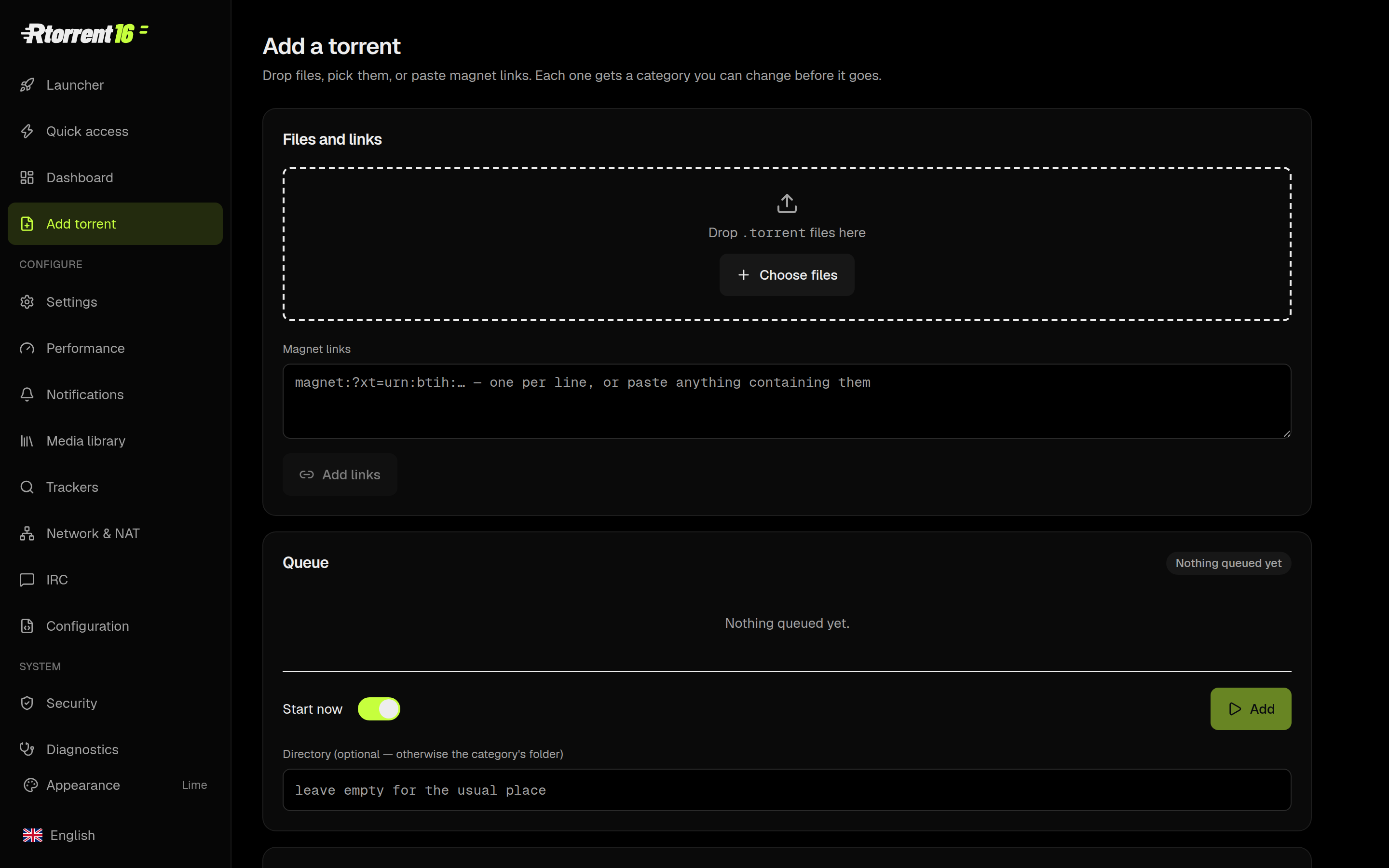
A media library that says what it will do before it does it
Downloads → finished → library, drawn as it actually happens, with the room left on each volume and the verdict for every hop: hardlink when it is one volume, copy when it is two, move when you asked for a move. FileBot renames and fetches the artwork; Plex, Kodi, Jellyfin and Emby get a nudge afterwards.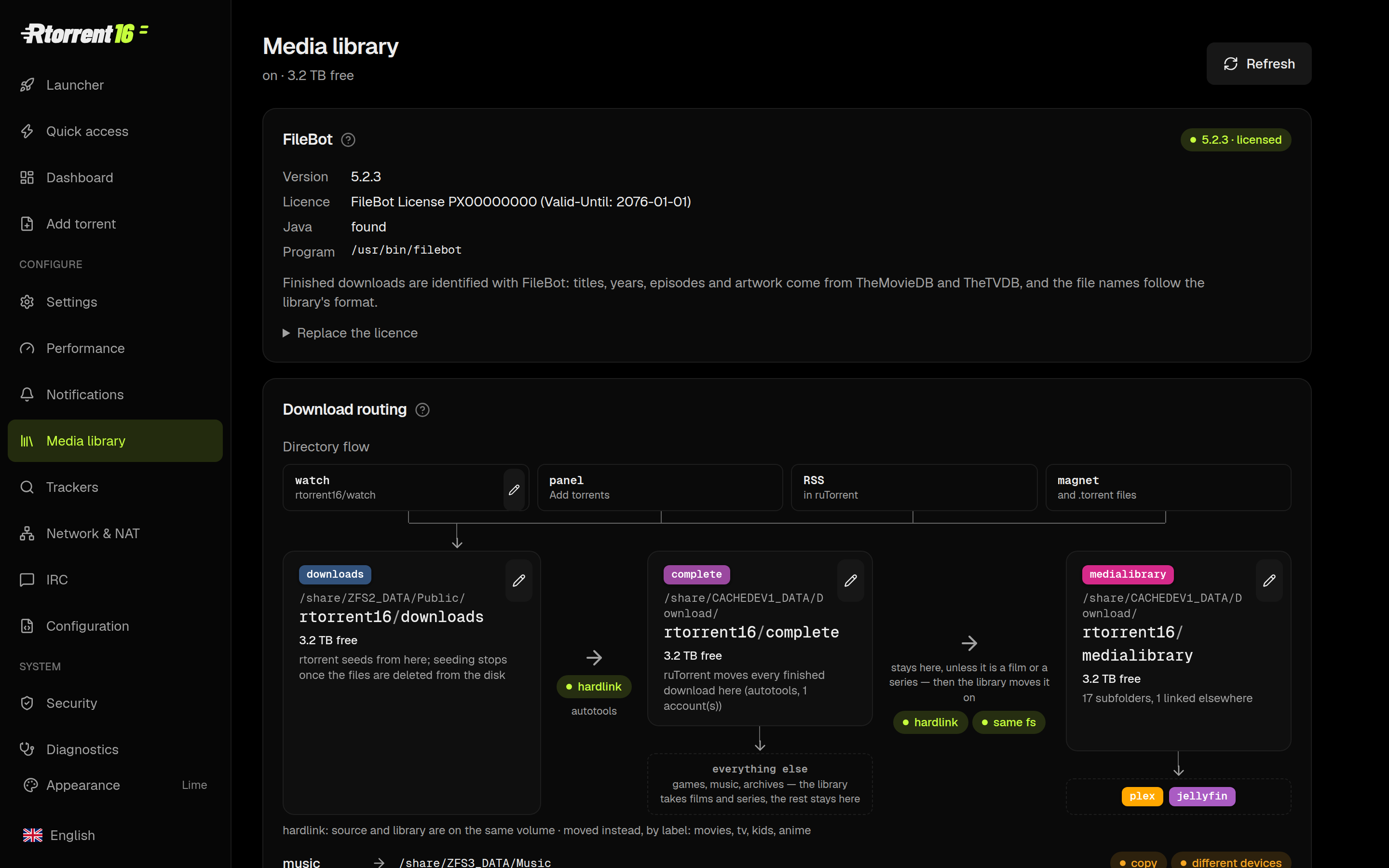
Ask your private trackers in plain language
PolishTracker, TorrentLeech, any UNIT3D site, anything Jackett or Prowlarr indexes. Typelatest Stranger Things — in English or in Polish — and it works out that you mean the newest episode, ranks what came back and puts the one you pick straight on the NAS.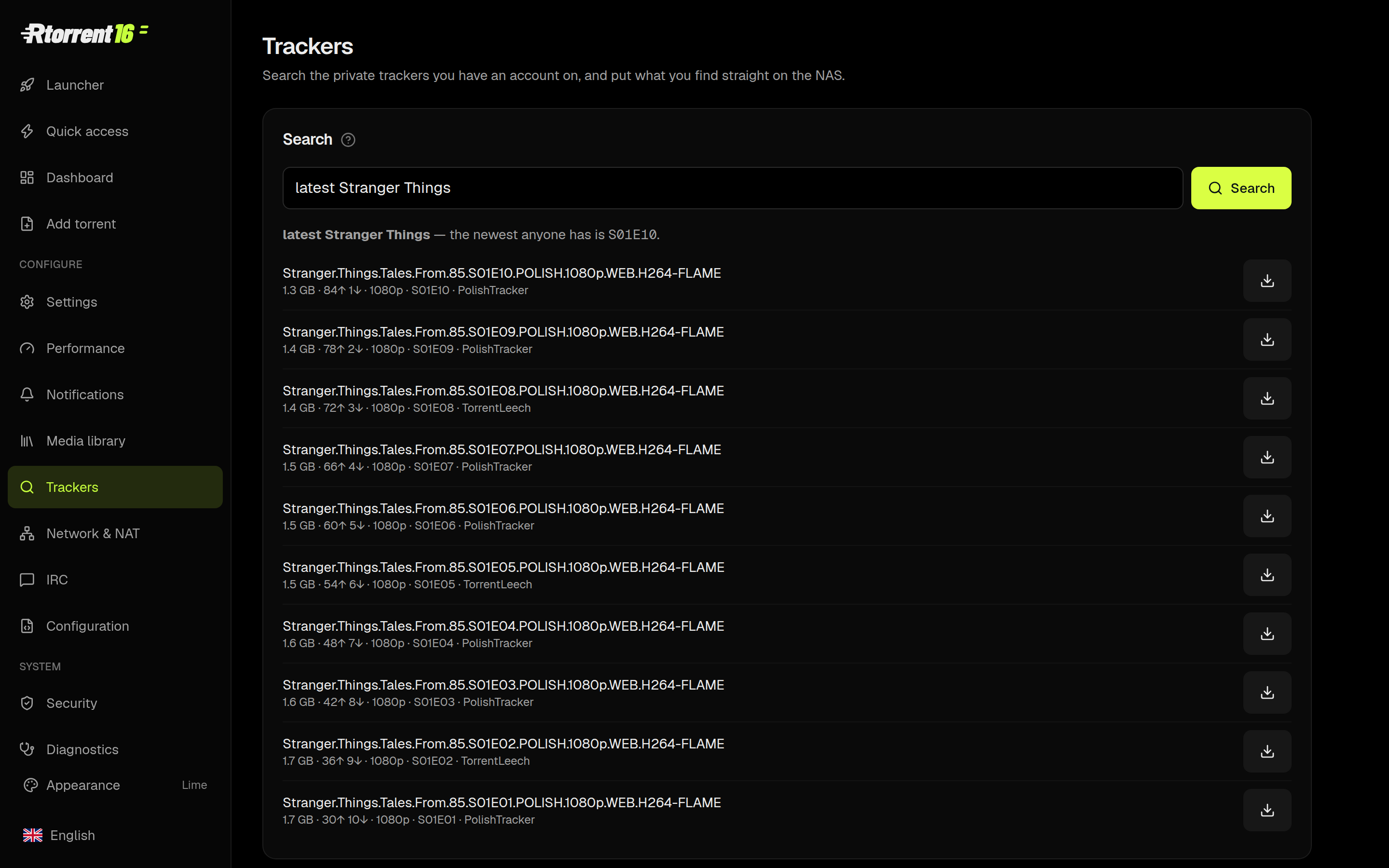
Where the credentials liveIn
etc/trackers.json on your own NAS, mode 0600, preserved across upgrades. They are never inside the package and they never leave the NAS except to the tracker they belong to.A notification worth reading
When a film lands you get the poster, the resolution, HDR, the running time, the size and the audio and subtitle languages — as one message. WhatsApp, Telegram, Discord, Signal, ntfy, Gotify, Pushover, Matrix, Slack, e-mail and a dozen more. The WhatsApp bot answers back, too:status, eta, latest Fargo, get 1-10.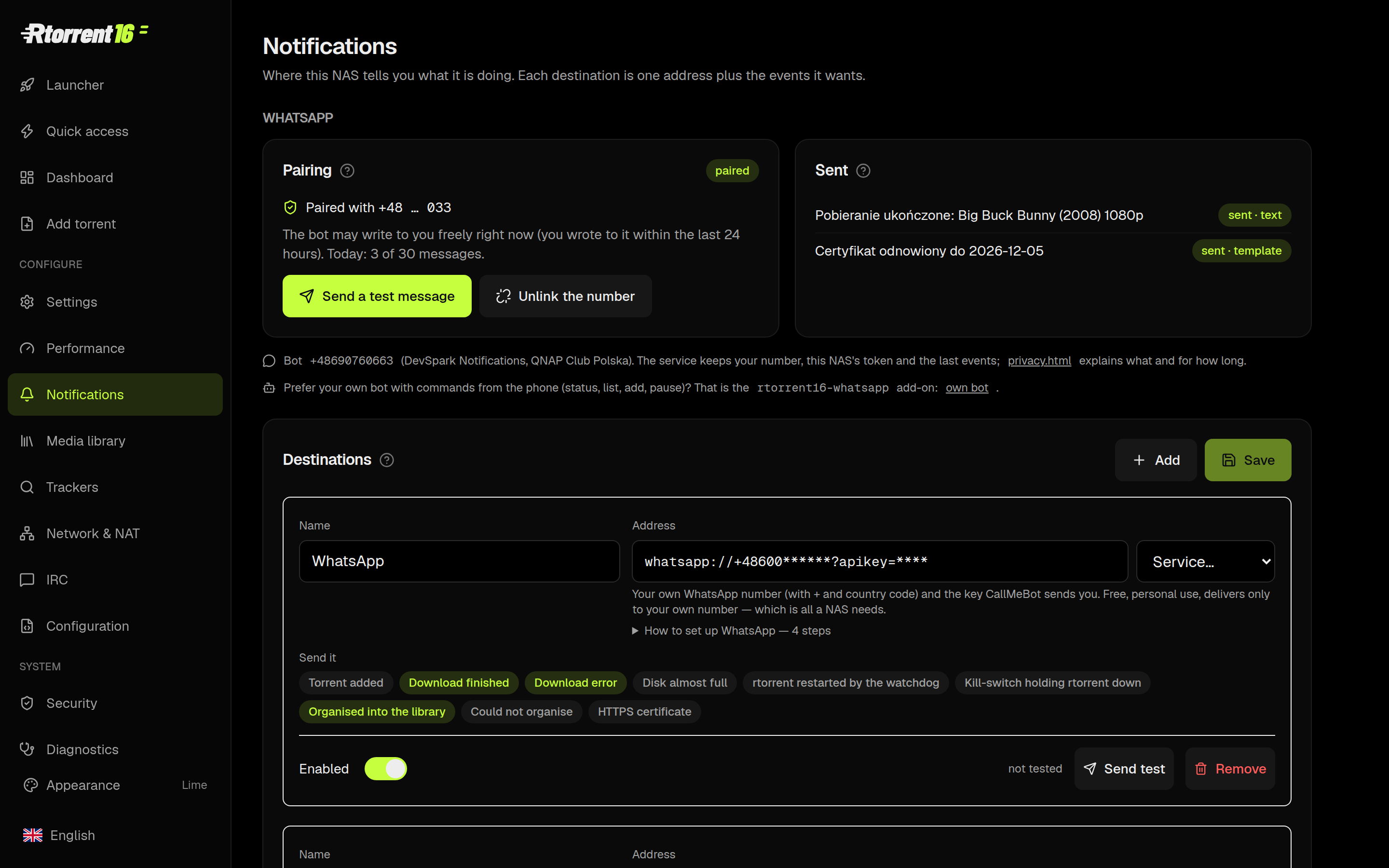
Backups you can see — and put back
Two copies a day, neither of them data: the torrent list (which torrents exist) and the configuration (settings, the panel password, tracker credentials, rc drop-ins, the certificate). Restore any single day from the panel; the torrent list restore stops rtorrent, swaps the list and starts it again without touching a byte on disk.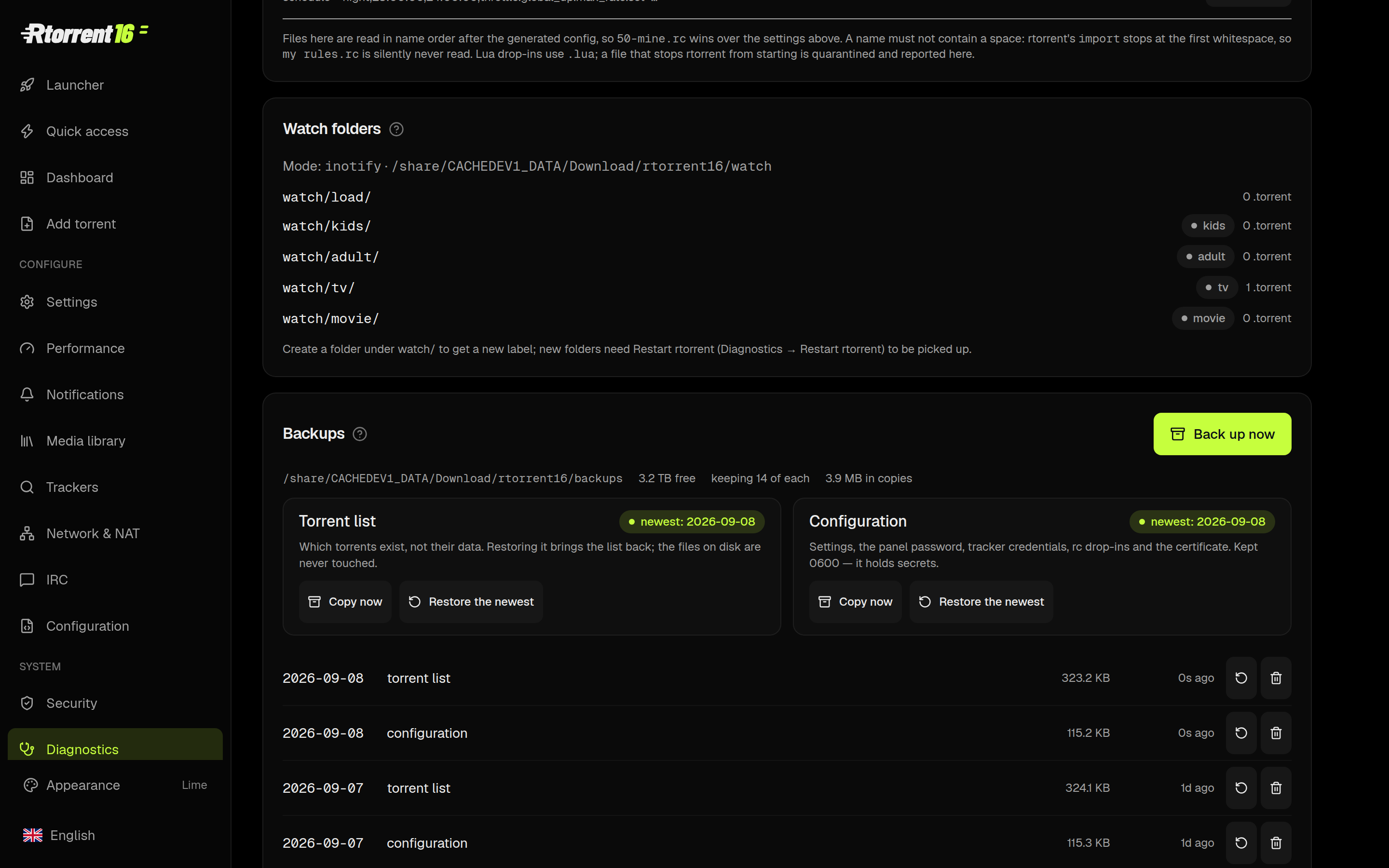
A performance wizard that measures your NAS
It runs the disk and the network, reads the result against what this box actually has, and offers the settings that follow from it — with the cost of each written next to it. Nothing is applied behind your back.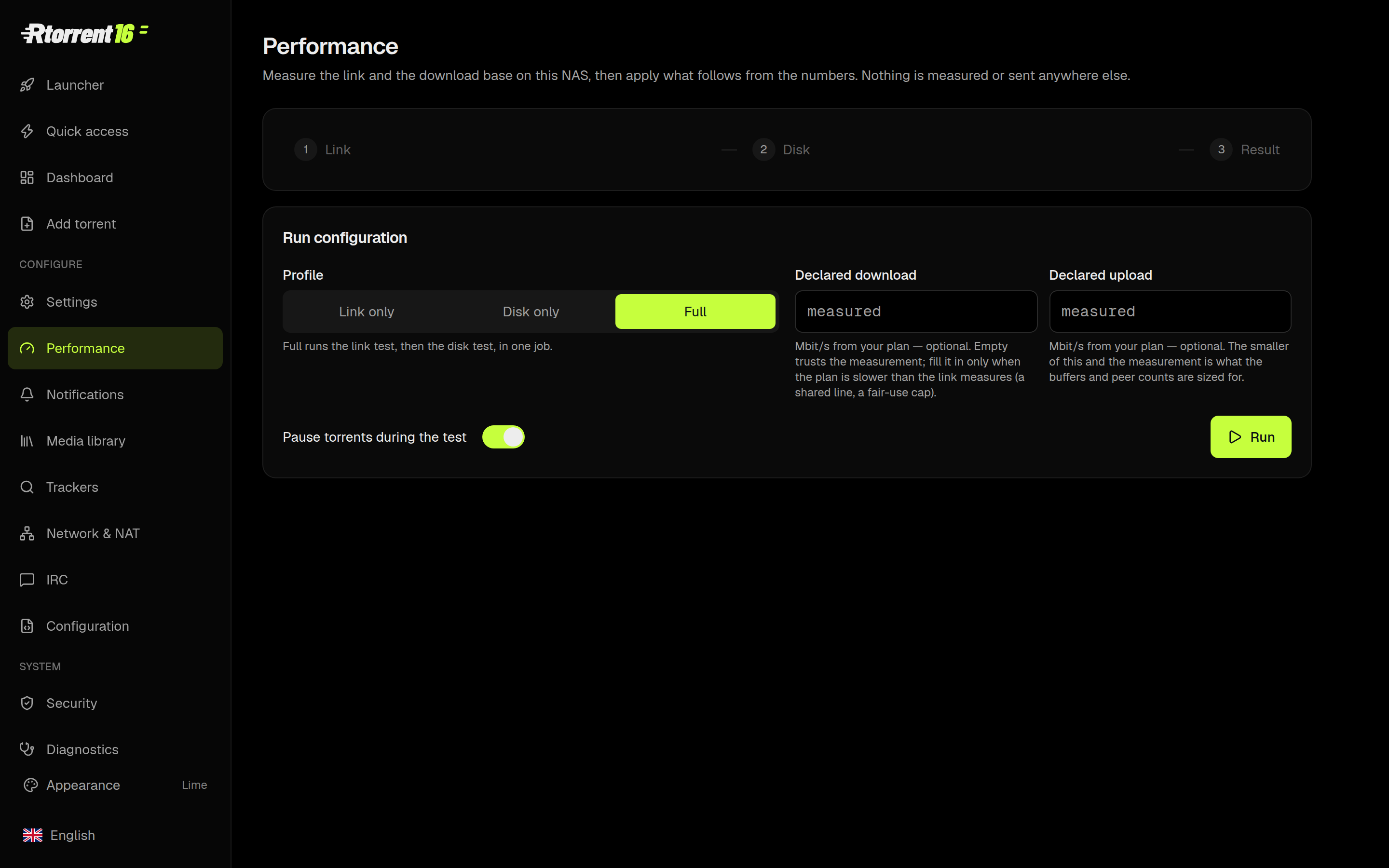
Network and NAT, told straight
Every port with its mapping, who mapped it, and whether the internet can see it. UPnP and NAT-PMP are asked at every start — and when the router refuses, the panel quotes the router rather than telling you to switch on a switch that is already on.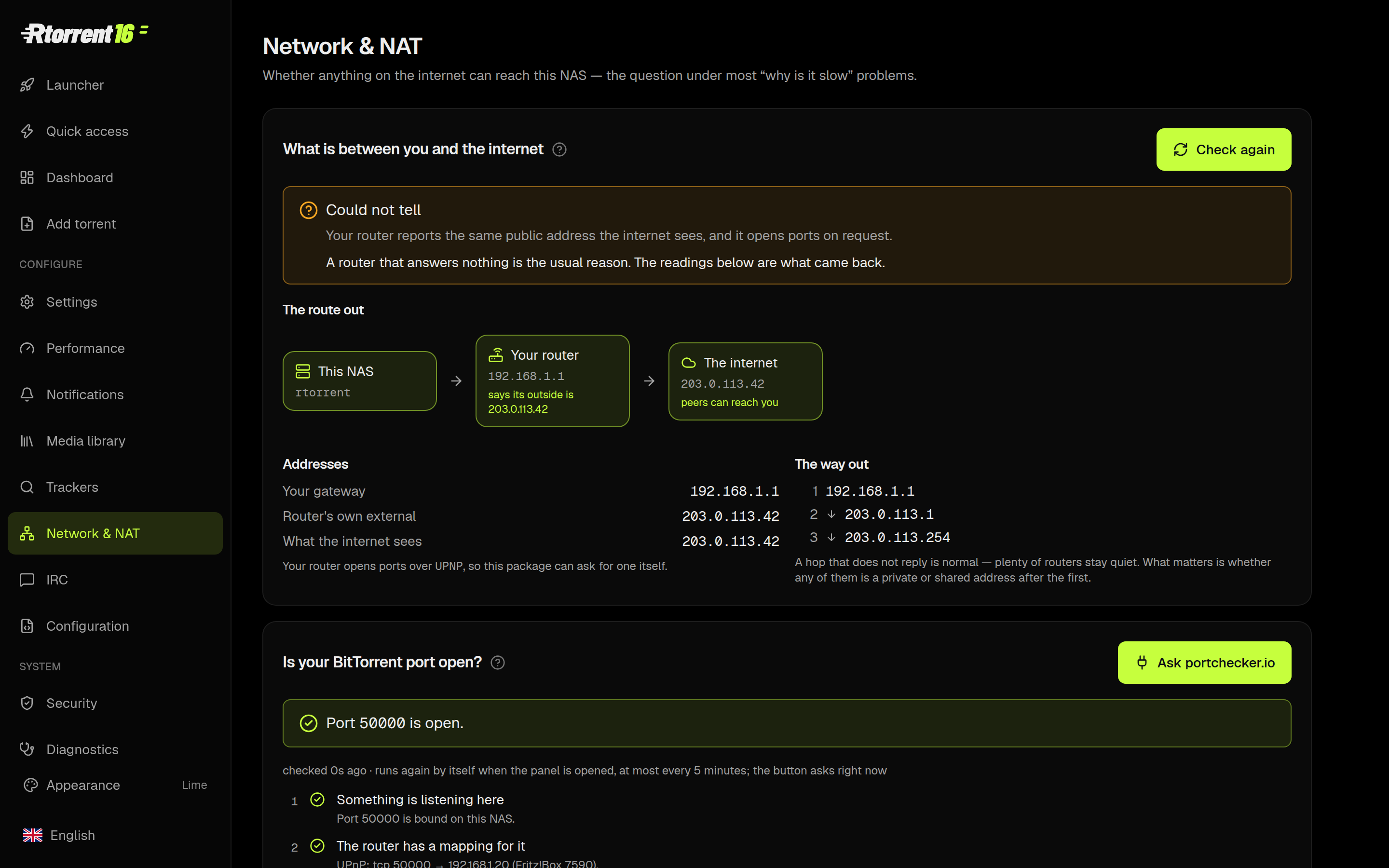
116 settings, nine languages, the manual inside the panel
Every setting carries a sentence about what it costs; the ones that need a restart say so before you save. English, Polish, German, French, Italian, Dutch, Swedish, Japanese and Traditional Chinese. Eleven themes, light and dark. The guides are in the panel, not on a wiki somewhere.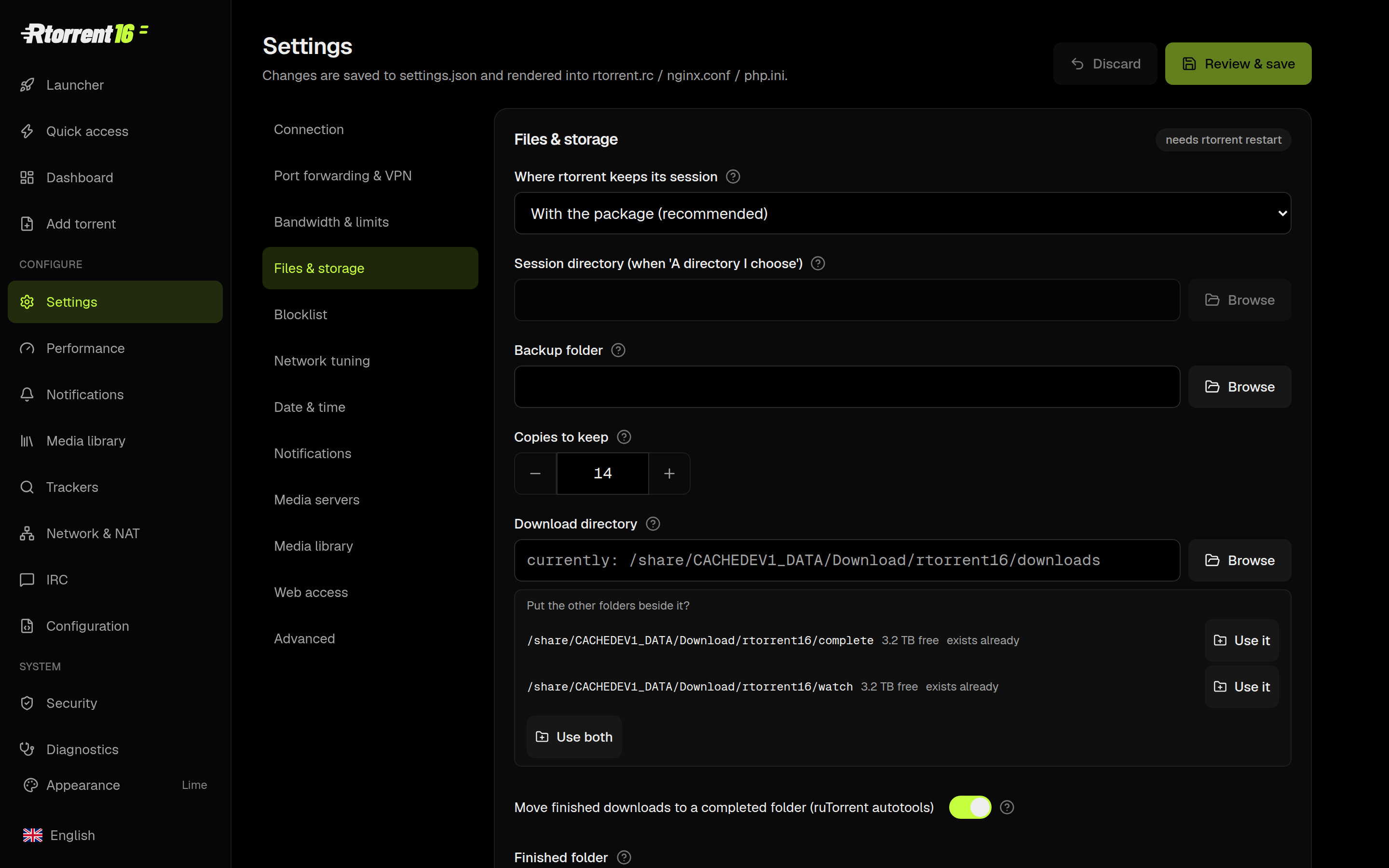
It is a phone app too
Add the panel to your home screen and it behaves like one — including a share target, so a .torrent or a magnet from any browser lands straight on the NAS.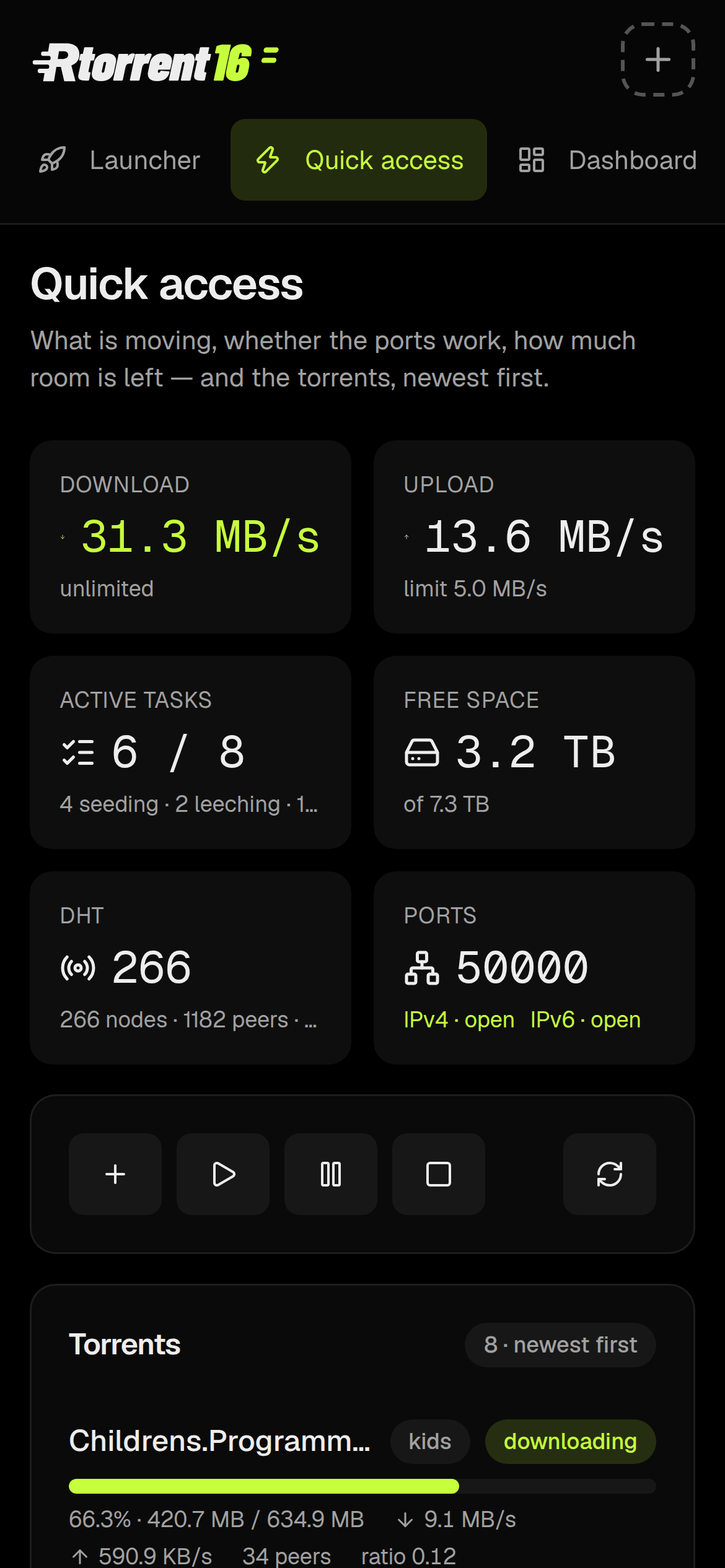
What is inside
- rtorrent 0.16.22 + libtorrent, built from source against this NAS's glibc — not a repackaged binary from somewhere else
- ruTorrent with the plugins that matter, patched to work with 0.16's renamed commands
- Control Center: the panel in these screenshots
- Media library: FileBot or the built-in organiser, per-label routing, hardlink or copy decided from the volumes
- Notifications: 20+ services, one message with the poster and the facts
- Trackers: PolishTracker, TorrentLeech, UNIT3D, Torznab — searched in Polish or English
- Backups: the torrent list and the whole configuration, daily, restorable from the panel
- Performance wizard, port and NAT diagnostics, blocklist, VPN kill-switch, IPv6
- Add-ons that plug into it: autobrr, slskd, an IRC bouncer (soju + gamja), a WhatsApp bot, Linkwarden
Requirements
| Firmware | QTS 6.x, or QuTS hero h6.x and newer (glibc 2.39+) |
|---|---|
| Architecture | x86_64 and arm_64 (arm-x31/x41 and armv7 are not supported) |
| Ports | 6019 http, 6018 https, 50000-50010 BitTorrent, 6891 DHT |
| Space | ~250 MB installed; downloads go on a share, never on the system volume |
First startThe panel asks for a login of its own —
rtorrent with the password announced at install, changed from the Security page. It is not your QTS account: the package never asks for one and cannot bypass your second factor.
it installs beside rtorrent 15
Different ports, different folders, different session. The old package keeps 6009/6008/19000/49160 and its own downloads; nothing is migrated and nothing is overwritten. Run both, or retire the old one when you are ready.
Install
- Download the file for your architecture (below).
- App Center → the gear icon → Install Manually → pick the .qpkg.
- Open it from App Center, or go to
http://<your-nas>:6019/.
Download
- rtorrent16 — x86_64 (always the current build)
- rtorrent16 — arm_64
- SHA256SUMS
- Rtorrent-autobrr — autobrr, wired to this rtorrent
- slskd — Soulseek, standalone
- rtorrent16-irc — soju bouncer + gamja web client
- rtorrent16-whatsapp — your own WhatsApp bot on your own number
x86_64 with arm_64 where you need it.

![slskd (Soulseek P2P client with Web interface) [x86_64]](/data/resource_icons/0/301.jpg?1760452626)


![Rtorrent 15 [x86_64]](/data/resource_icons/0/284.jpg?1752069466)
