Rtorrent 16
16.27-10U
Brak uprawnień do pobrania
JavaScript jest wyłączony. Dla lepszego doświadczenia, proszę włączyć JavaScript w swojej przeglądarce przed kontynuacją.
Używasz przestarzałej przeglądarki. Może ona nie wyświetlać poprawnie tej lub innych stron internetowych.
Powinieneś zaktualizować swoją przeglądarkę lub użyć
alternatywnej przeglądarki .
Major
Files: Retro 2, a second retro look in DOS Navigator's grey with the cyan cursor bar. Ctrl+Alt+R switches between off, Retro and Retro 2; the ⋯ menu names both.
Minor
Files: Retro's labels are easier to read.
Major
Files in the Retro look: every part of Files follows it, in the light and the dark theme, the phone's bottom bar, menus and windows included.
Minor
Files lists the NAS's shares as folders, not as links.
Major
Play, NFO and Unpack also work for a torrent that seeds from a folder outside the download folders, anywhere in /share.
Unpack checks first that it can write to the folder, and says so plainly when it cannot.
Minor
LinkDrop: when a browser cannot connect, the LinkDrop log says what the connection had to work with.
The move window's note for a folder outside the download folders now names only the trash.
Major
The panel opens faster: each page loads on its own, and live numbers refresh only while you can see them.
The Dashboard no longer grows in memory while it stays open.
Nothing jumps while a page loads: the update banner and the cards keep their place.
Minor
Files on a phone scrolls more smoothly.
The Dashboard's log keeps your place while new lines arrive.
The README and NFO window looks right when the panel opens through the QNAP address (/rtorrent16/).
A panel left open during an update reloads itself.
A torrent outside the download folders shows no Play or NFO button. Play does not work there. A new category moves the torrent in.
Major
LinkDrop needs no port forwarded on the router and has no port setting. The share window says in one line how downloads connect.
LinkDrop between two NASes also works when one of them is behind a VPN or a mobile network that gives every connection a port of its own.
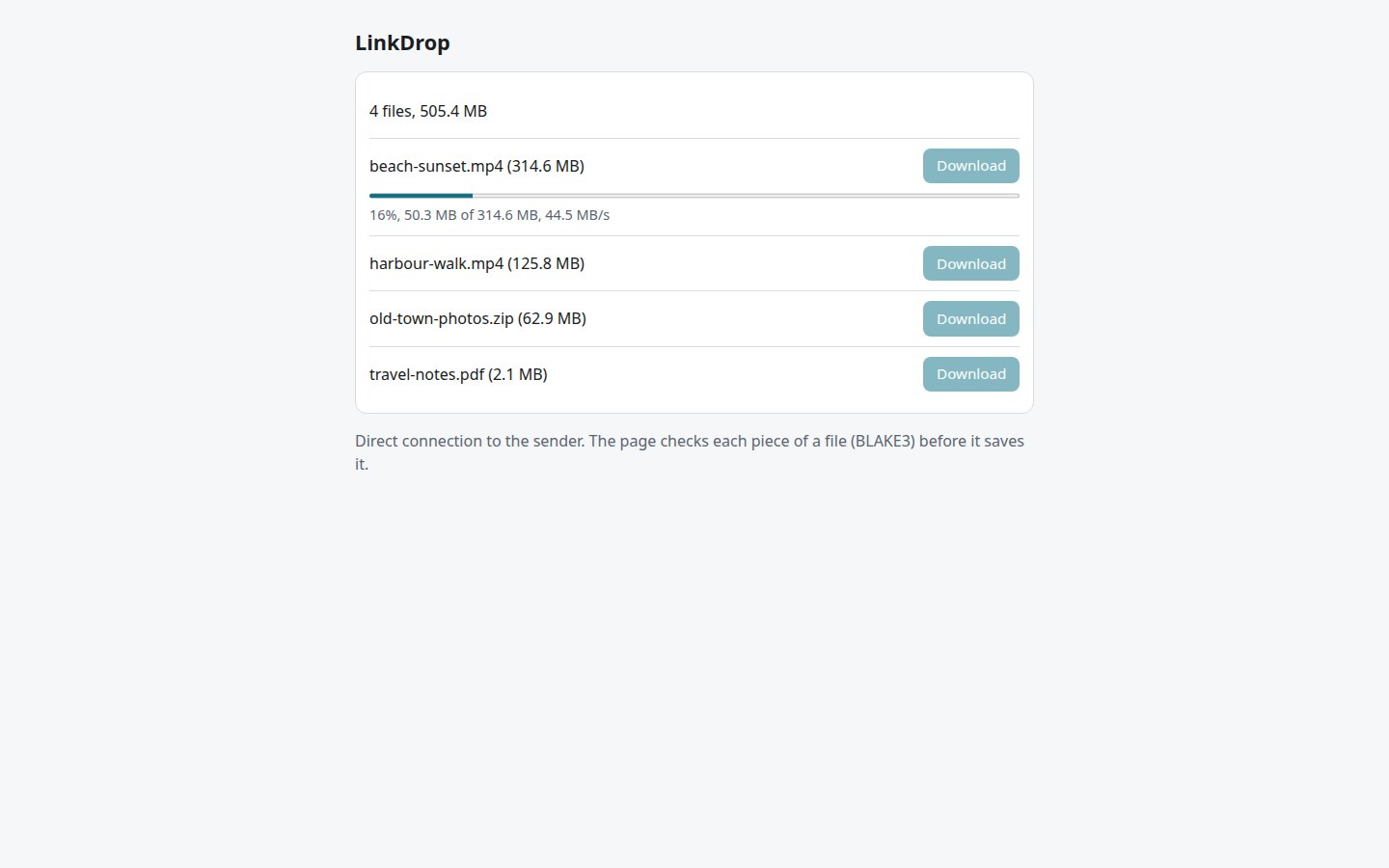
A LinkDrop download in a browser carries on after a dropped connection, and the screen stays on while it runs.
Safari and Firefox write a large LinkDrop download to the browser's own storage instead of memory.
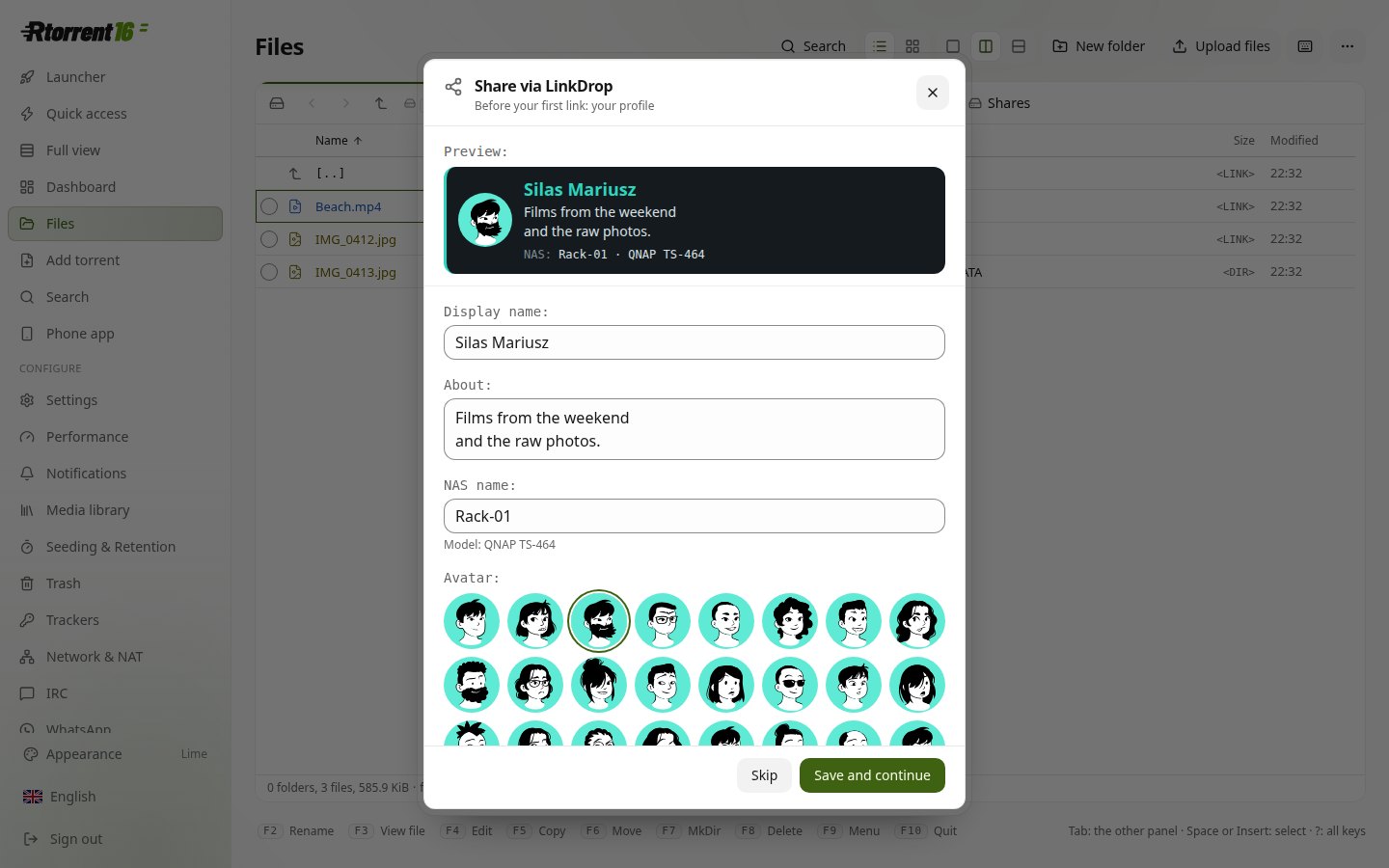
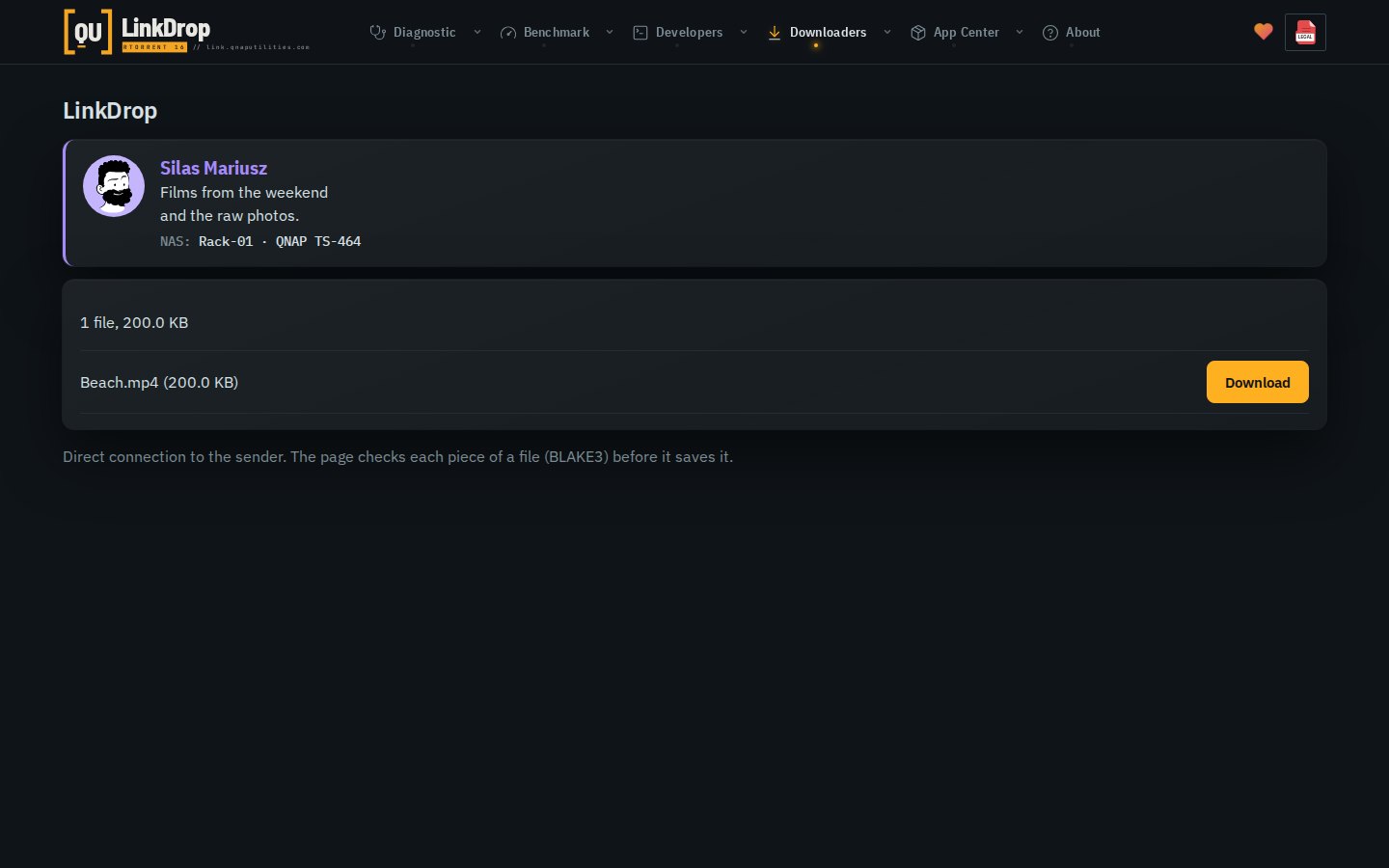
LinkDrop profile: your name, a few words, the NAS's name and an avatar on the link's page.
Files on a phone: no zoom while typing, and every window fits inside the screen, also with the keyboard open.
Minor
Convert in Files makes music as MP3 320 kbit/s or FLAC, and says why it skips a file.
Media library's History shows the last five entries, the rest in a window with search.
Movie Agent tells Radarr 4K and Sonarr 4K apart from Radarr and Sonarr, by the torrent's label or the 4K folder it was filed in.
LinkDrop finds its public address through three servers at once, so one server down no longer stops it.
Major
LinkDrop: share a file or a folder from Files and send the link. The files go straight from one NAS to the other, never through a server.
LinkDrop works between NASes behind routers that forward no ports, and behind a carrier's NAT.
A LinkDrop link opens in any browser: the file comes straight from the sender's NAS, every piece checked.
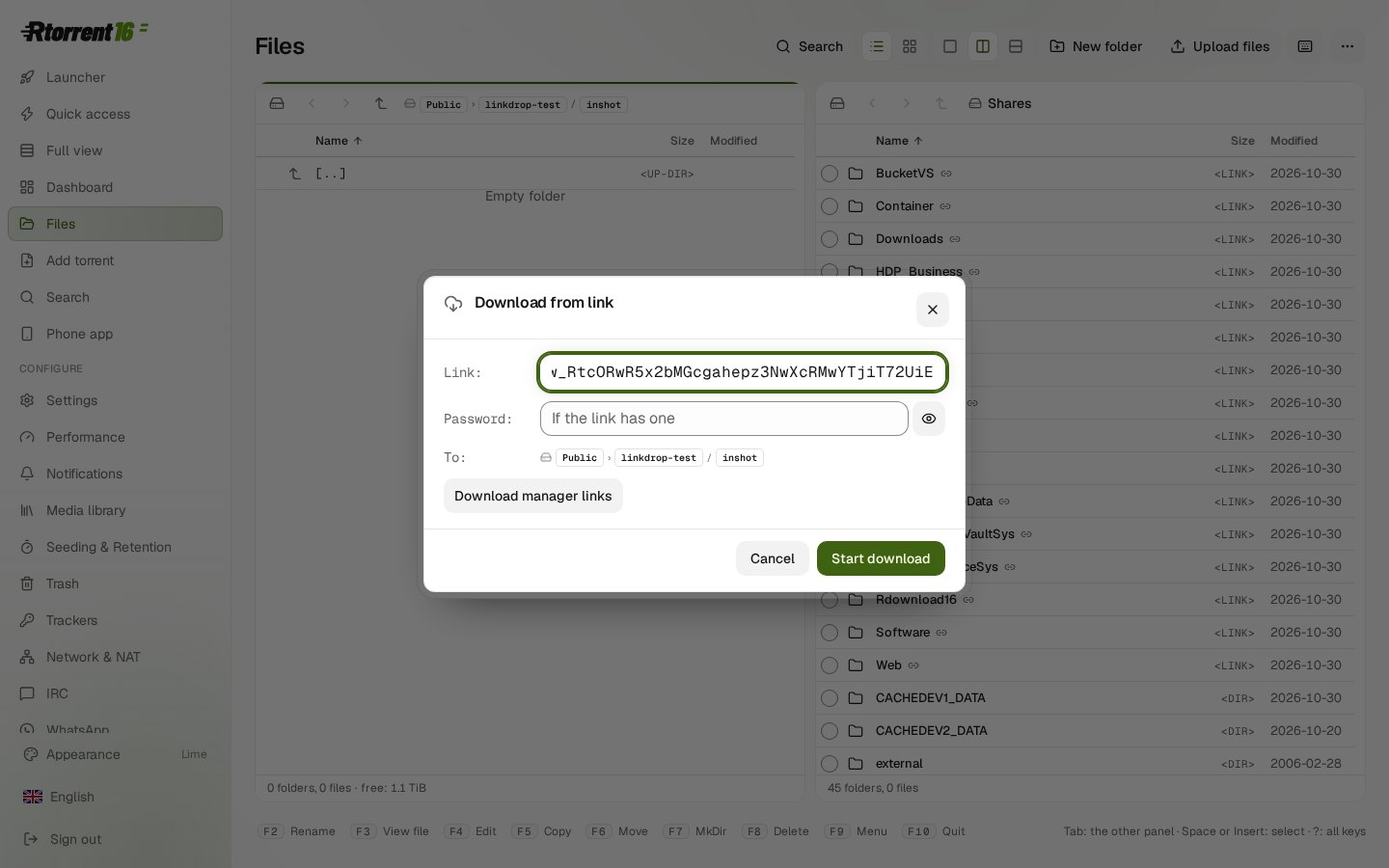
Files: Download from link…, with up to 16 connections, Stop and resume, even days later.
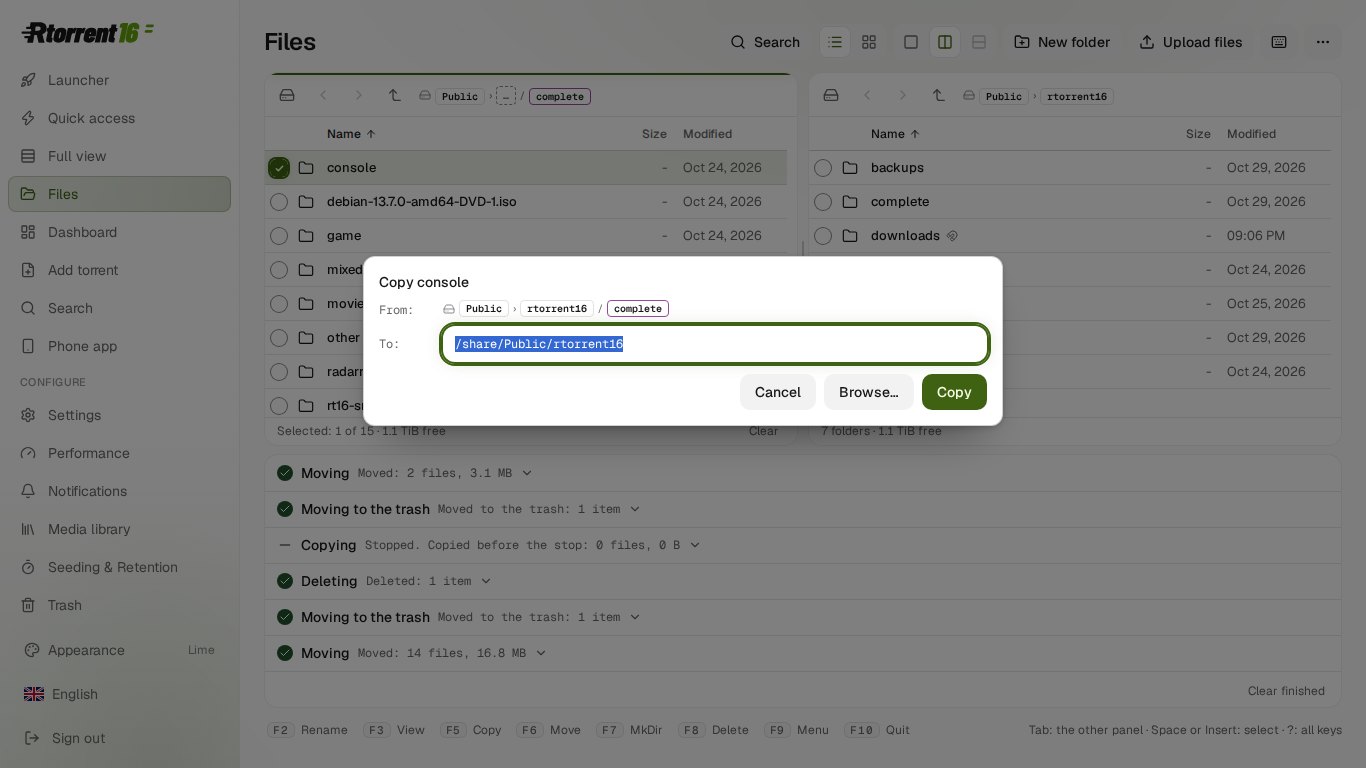
Files: Copy to…, Move to… and Create link… share one window with a preview. Copy with hard links is new.
Files on a phone: a selection mode, rename in place, folder sizes counted in the background.
A tracker hears "completed" once and at once, also after a check, a stop and start or a Re-announce.
Seed and upload download what is missing, then seed quietly.
Minor
A port forwarded by hand on the router is checked from outside and no longer warned about. A warning names the ports to forward.
LinkDrop links for a download manager on your own network (aria2, JDownloader, IDM).
Shared links: expiry, opens, Revoke link. A link can expire after 1, 7 or 30 days and can have a password.
Files: Re-identify one title in Movie Agent's library.
Files: dates as YYYY-MM-DD, Delete permanently, a menu with an icon row and groups.
The tab order is Start, Quick access, Dashboard, Files. The phone's Files bar has Add torrents.
Phone start pages show the Rtorrent 16 icon.
The Dashboard lists the LinkDrop agent under Services.
Released 2026-10-31.
Major
Files: Compare folders (Shift+F2).
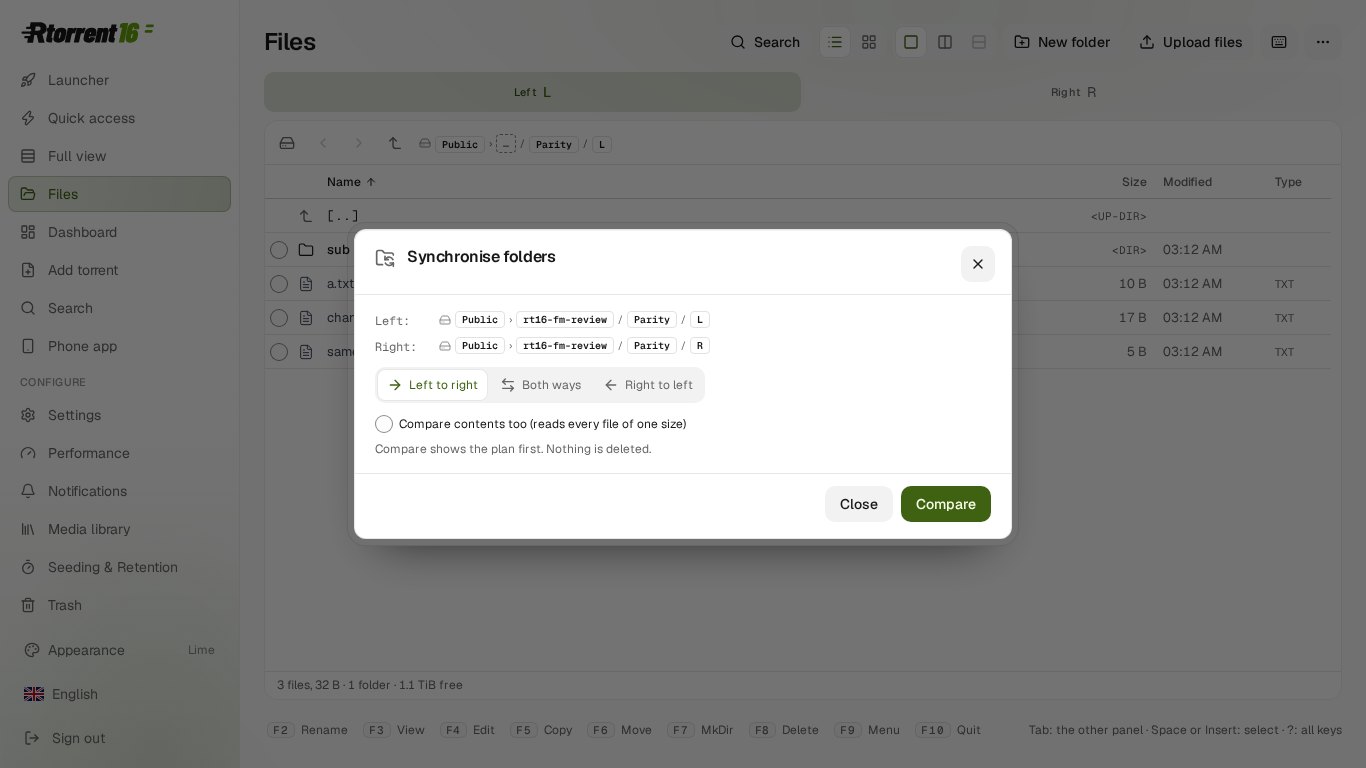
Files: Synchronise folders, with a plan first. Nothing is deleted.
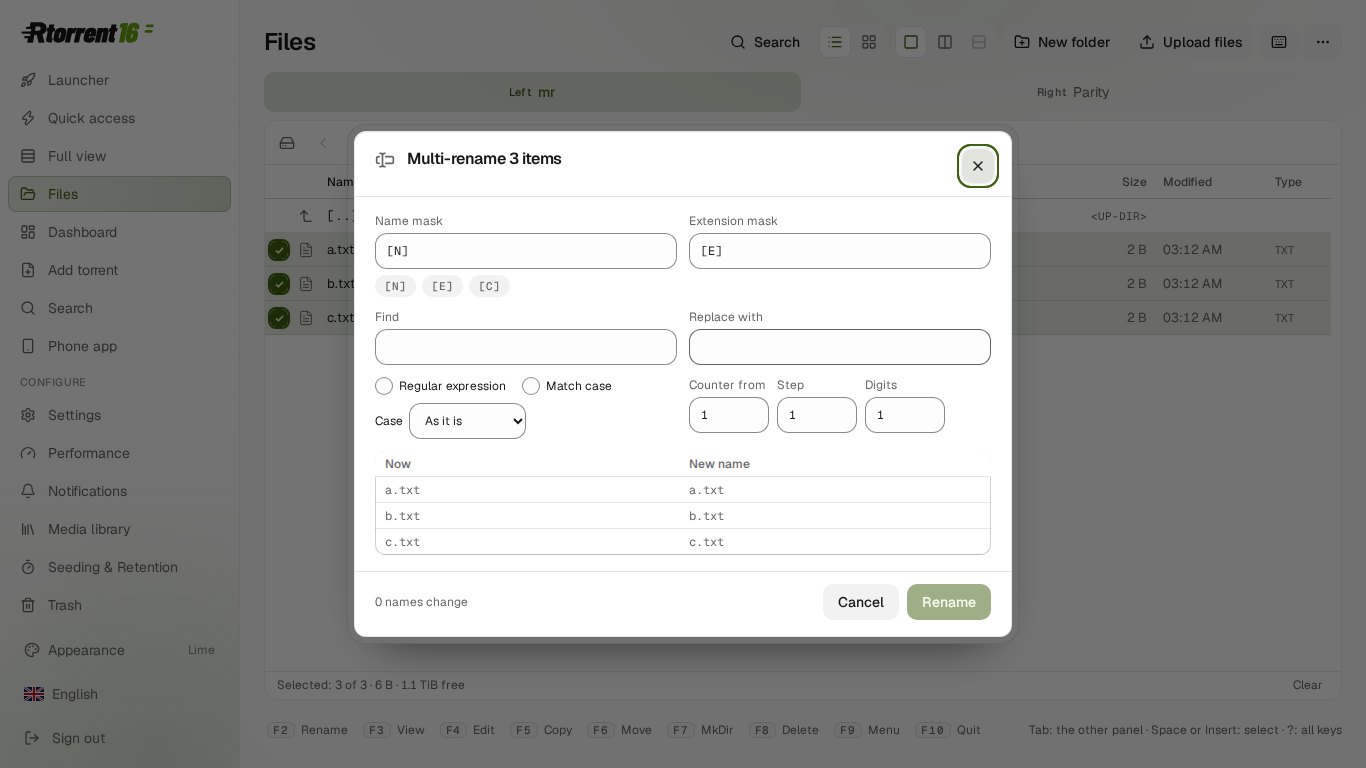
Files: Multi-rename (Ctrl+M) with a preview.
Files: Search in files (Alt+Shift+F7).
Files: two files side by side with the changes marked (F3 with two files picked).
Convert keeps 10-bit and HDR in H.265 and VP9.
Convert: H.264 SDR from an HDR film, for a screen without HDR.
Minor
Files: Quick view (Alt+Q).
Files: tabs (Alt+N, Alt+W), a hotlist (Ctrl+D) and a folder history (Alt+F12).
Files: Split and Join, with a .crc or .sfv file.
Files: Permissions sets the mode, owner and group.
Files: type to filter the list. Num+, Num− and Num* select by pattern and invert.
The text editor opens and saves ISO-8859-2, Windows-1251 and KOI8-R files.
A 10-bit film without HDR converts to H.264 at 8 bits.
Refusals that name a whole share or a system folder are in the panel's language.
Released 2026-10-31.
Major
Files opens text, NFO files, pictures, video and music in the panel.
Text editor (F4) and hex editor.
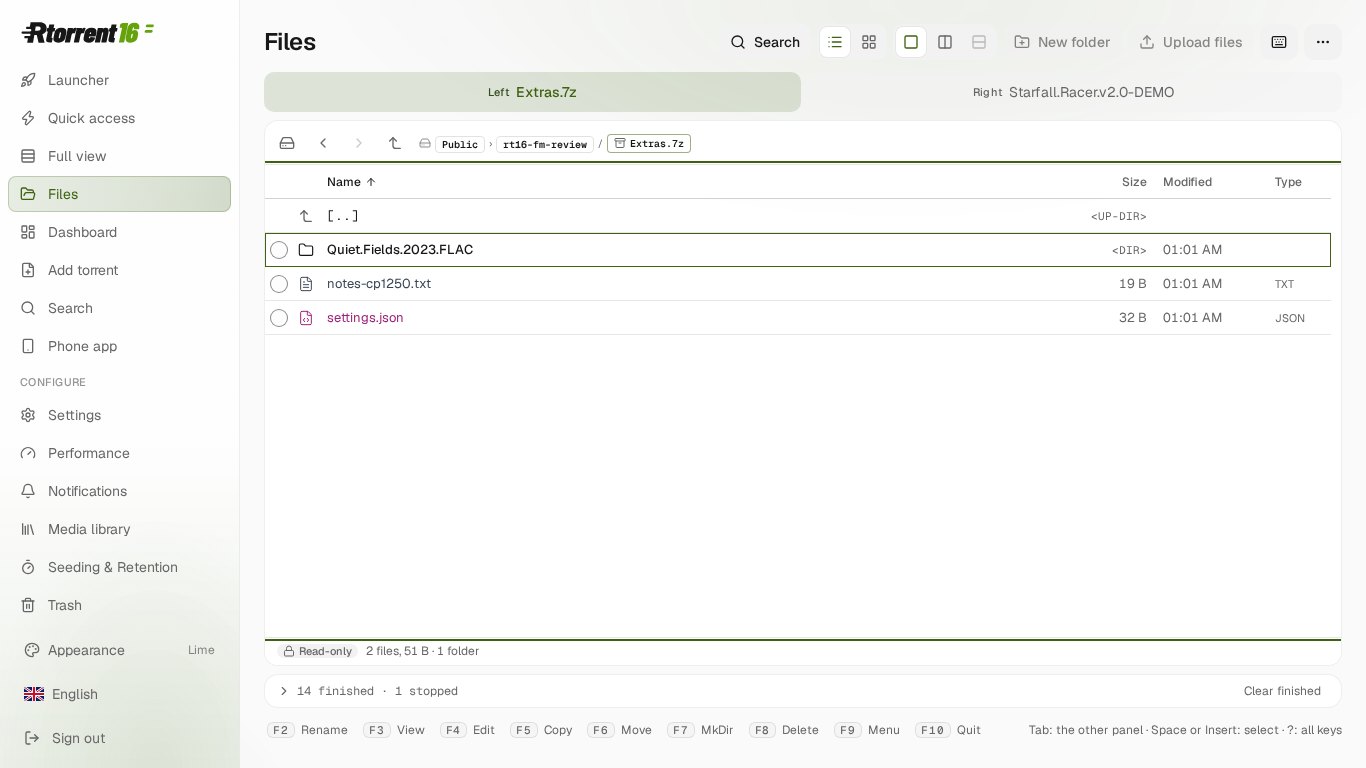
Archives open like folders: ZIP, 7z and RAR. Extract all or a part.
Pack to ZIP, 7z or RAR (RAR needs your own licensed rar).
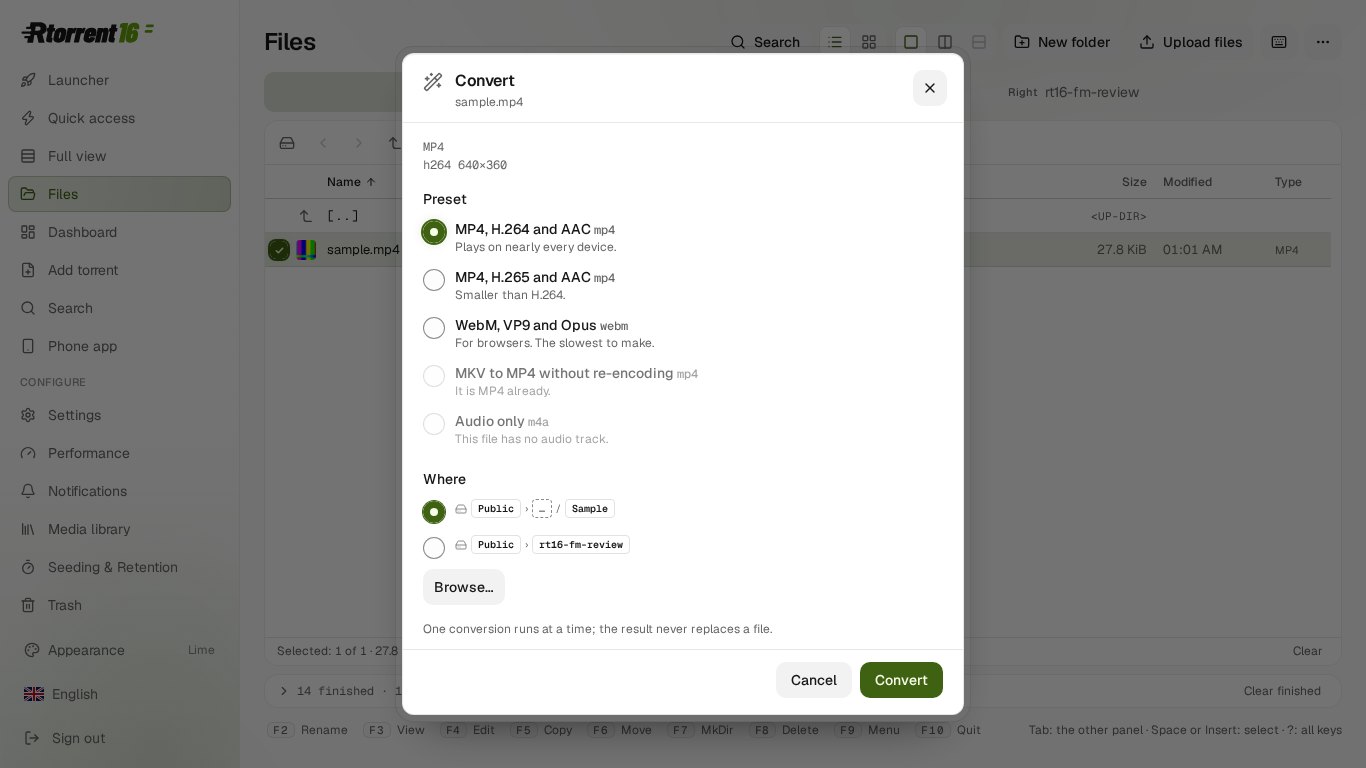
Convert video and music: MP4 with H.264 or H.265, WebM, MKV to MP4 without re-encoding, audio only.
Subtitles for a video, found by its hash or name and saved next to it.
Files stays inside the shared folders, symbolic links included.
Minor
Make and check checksum files: SFV, MD5, SHA-1, SHA-256, BLAKE3.
ISO and UDF images mount read-only.
Create torrent from Files.
Files are coloured by kind.
Sorted by name, a release's main file stands above its .rar volumes.
On a phone, a long press opens the menu and the back gesture goes to the previous folder.
Row menus and submenus open in the right place.
A file that can't be converted says what to use instead.
Released 2026-10-30.
Major
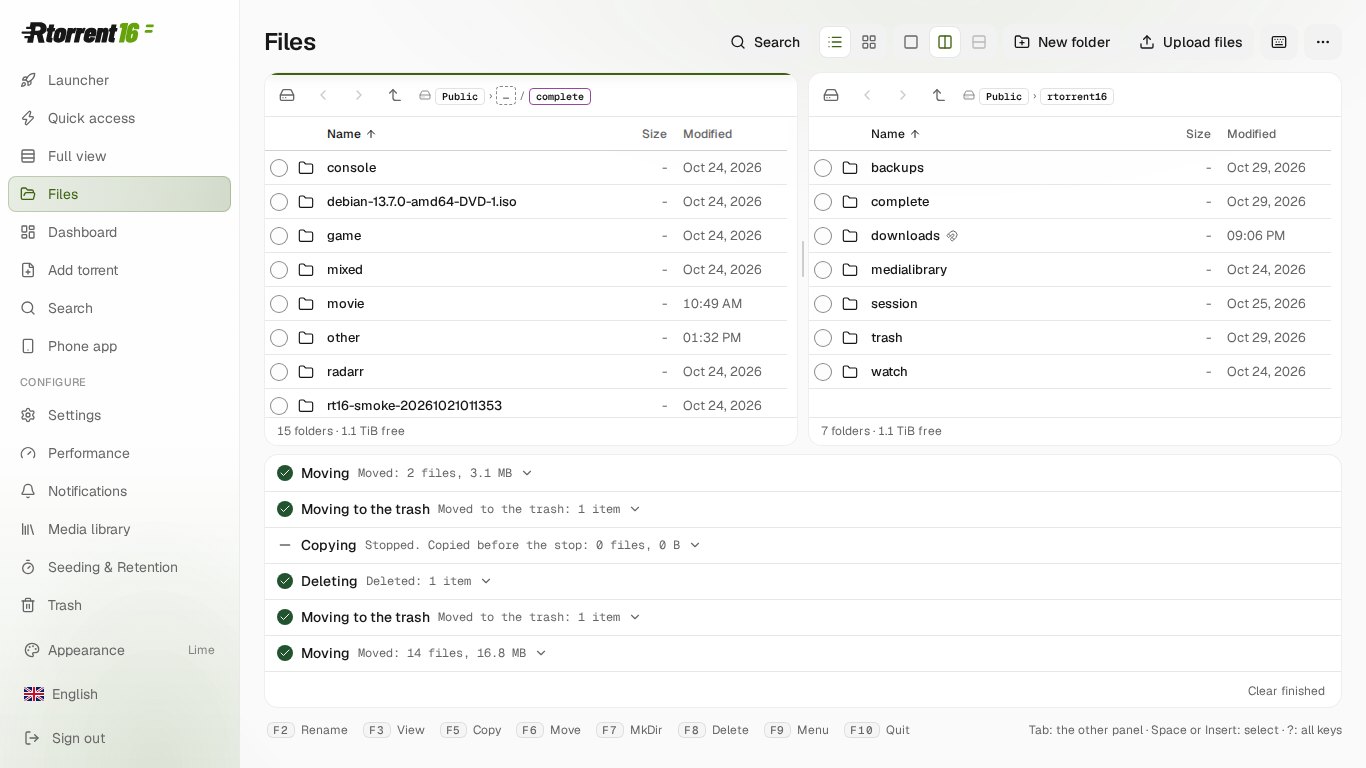
New Files page: a two-panel file manager for every shared folder of the NAS.
Copy, move, rename, delete to the trash or for good, new folders and files, symbolic and hard links.
Copies and moves run in the background with progress and a Stop button.
The panels sit side by side, one over the other, or one at a time on a phone.
Minor
Function keys F2 to F10, Insert to select, Tab to switch panels, Alt+F7 to search.
Retro look in Files (Ctrl+Alt+R).
Sort by name, size or date. A release's files list in the order it was made.
List or tiles, with pictures of photos and videos and folder covers.
A moved folder keeps its torrents seeding. A folder sent to the trash takes its torrents along, and back.
Search, properties, upload, and download of a file or a ZIP of a selection.
Folder paths elsewhere in the panel open in Files. A torrent's details have Show in Files.
Files never deletes or moves a whole shared folder, a volume or the package's own folders.
Media library, Library card: Sort, Filter and View are buttons above the tiles.
Filter: No cover, Needs a name, Ignored and the library folders.
View: small, medium or large tiles, or one row that scrolls sideways.
On a phone the three buttons show icons only.
Released 2026-10-30.
Major
Media library, Library card: sort by name, date added or year.
New filters: No cover and Ignored.
Ignore a title to keep it out of Needs a name, No cover and the nightly sweep. Undo ignore brings it back.
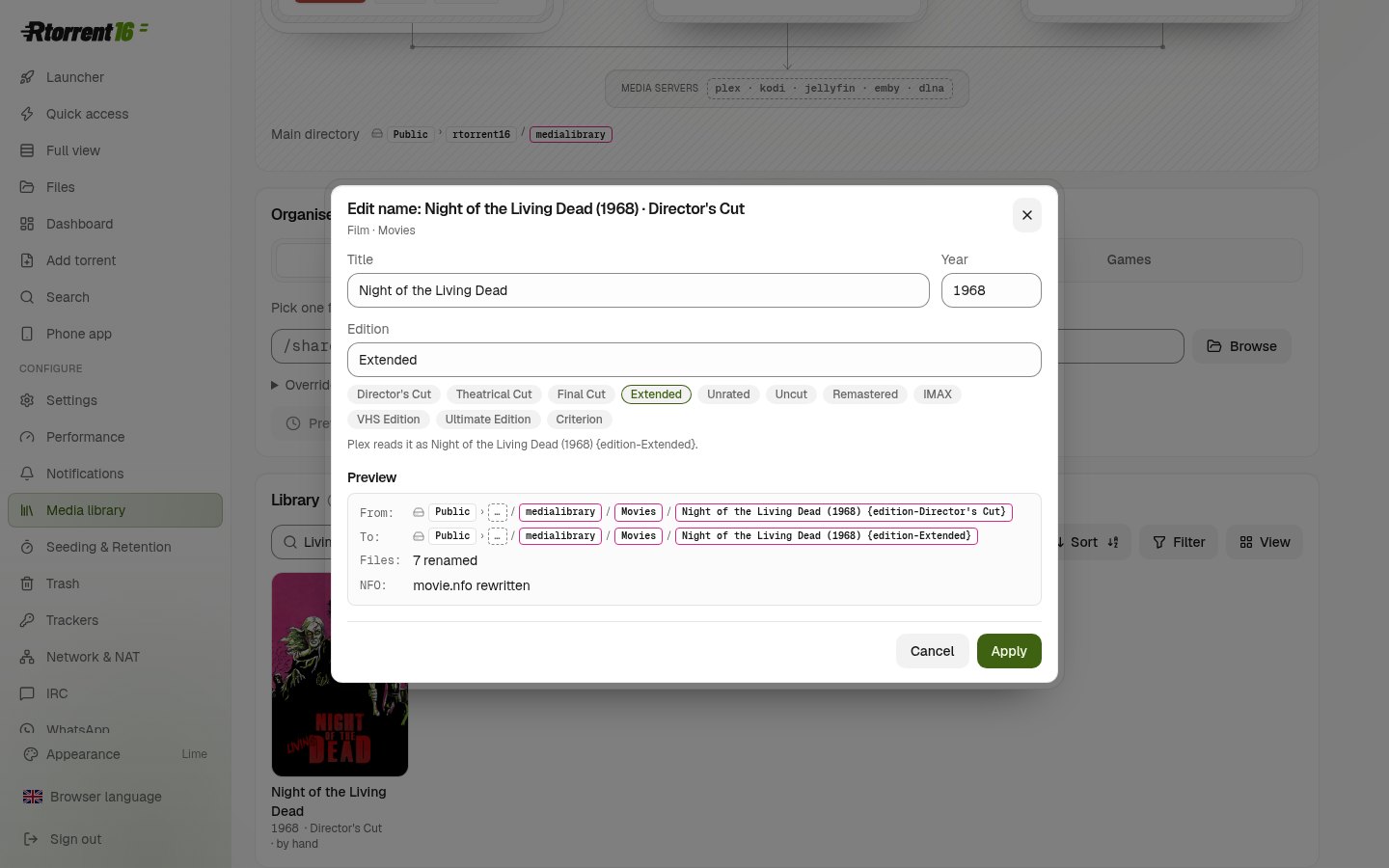
Edit name: change a film's title, year and Plex edition (for example Director's Cut), with Undo.
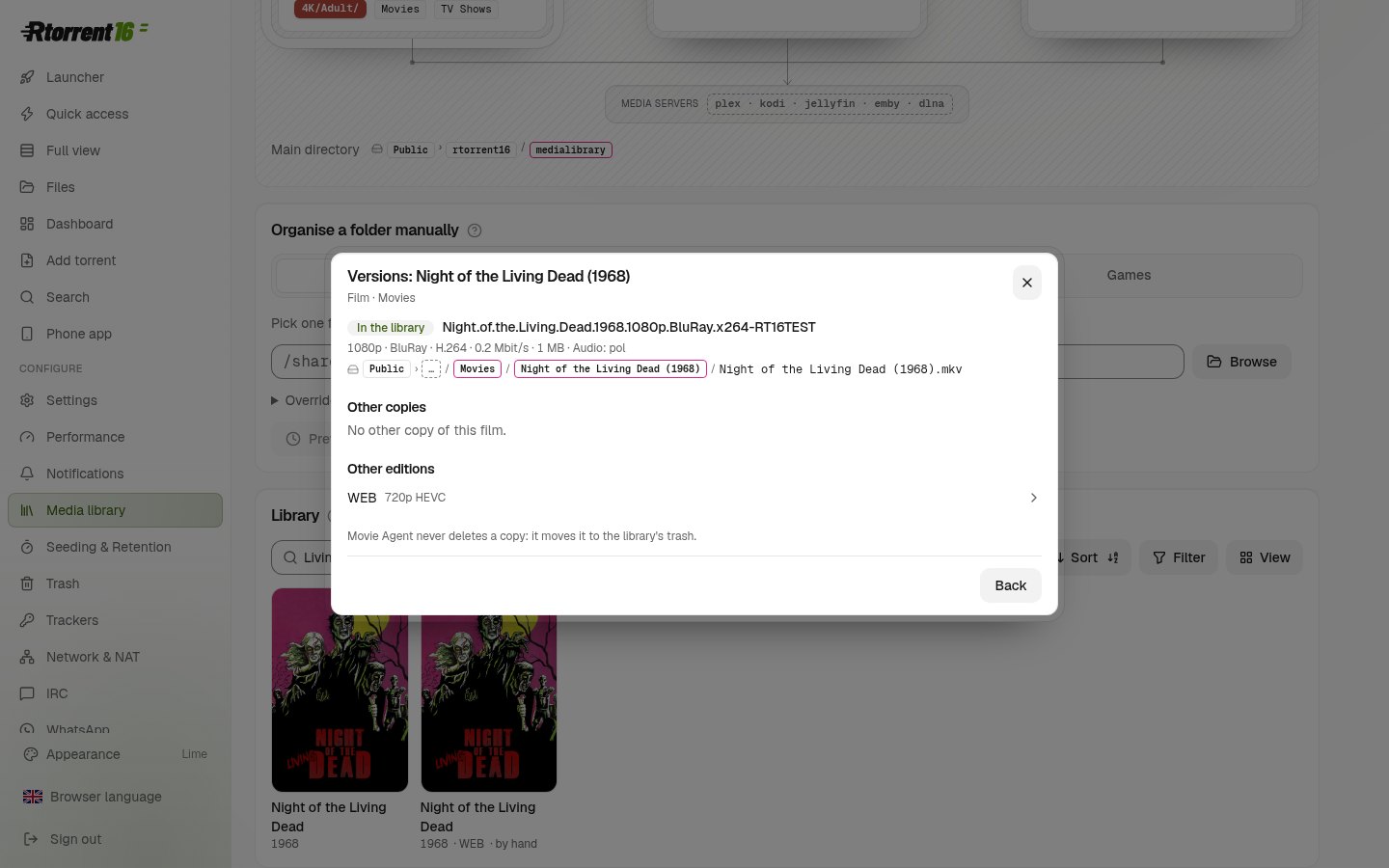
Versions: see every copy of a film the library knows and choose which one to keep, or keep both.
Minor
A Plex edition in a library folder's name is kept as written.