Podążaj za instrukcjami w poniższym filmie, aby zobaczyć, jak zainstalować naszą stronę jako aplikację internetową na ekranie głównym swojego urządzenia.
Informacja: Ta funkcja może nie być dostępna w niektórych przeglądarkach.
Używasz przestarzałej przeglądarki. Może ona nie wyświetlać poprawnie tej lub innych stron internetowych. Powinieneś zaktualizować swoją przeglądarkę lub użyć alternatywnej przeglądarki.
Own scheduler: Rtorrent 16 runs its periodic jobs from its own scheduler instead of the QTS crontab, one copy of each job at a time. Nothing starts rtorrent again while QTS stops it, for example during a shutdown or a restart.
WebPortico: when WebPortico holds port 80, the panel's Let's Encrypt check goes through WebPortico's ACME folder, and the message names WebPortico's Sites page.
Minor
The update takes Rtorrent 16's two old lines out of the crontab. Nothing else in the crontab changes.
Swarm card: one point every five minutes, also on a NAS where the watchdog used to run twice.
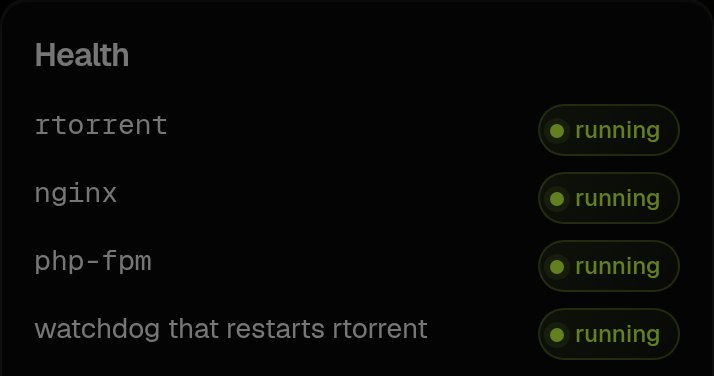
Diagnostics: the watchdog line says running or stopped. On the Dashboard, the Services card shows the watchdog as a process with its memory.
Opened torrent: the release name is no longer repeated under the plot. The IMDb rating stands under the title beside a gold IMDb mark that opens the film's page, with the running time and genres on the same line ("143′ — Adventure, Drama, Romance"). The plot shows three lines and drifts slowly when it is longer.
Already in vault: a small badge on an opened torrent when your account has completed another version of the title. Its (?) names the copies on this NAS, and their folders open in Files.
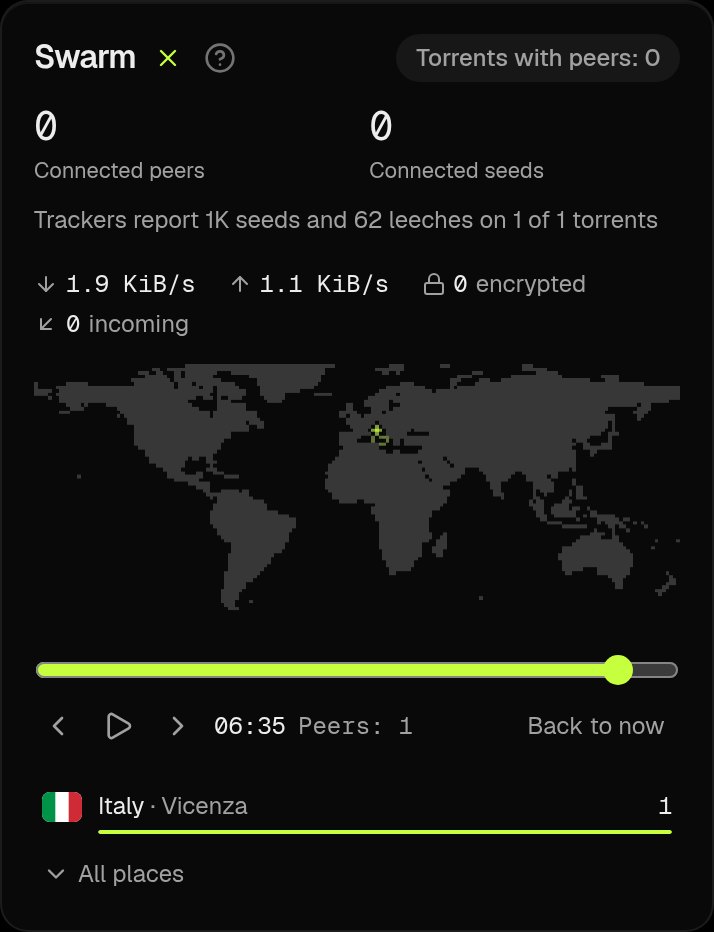
Swarm card: a play button beside the title replays the last four hours. Rtorrent 16 records a point every five minutes, so the replay fills up during the first four hours after the update.
LinkDrop: a link opened in a web browser now reaches a NAS behind a strict NAT more often.
Minor
Opening a torrent while another one is open keeps the row you tapped in place.
The Swarm map and the time zone map in Settings draw their dots with smaller gaps.
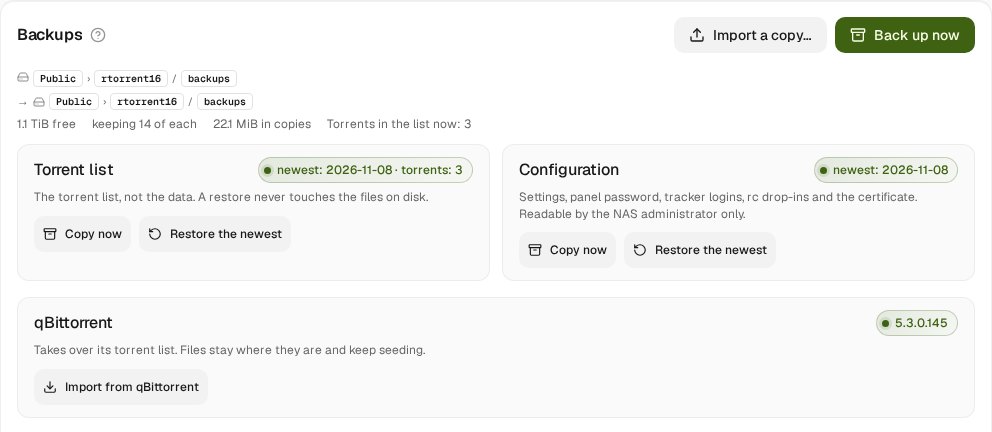
qBittorrent import: Diagnostics, Backups has a qBittorrent tile. Import brings over the torrent list of a qBittorrent package on the NAS. The files stay where they are, each torrent is checked once and the complete ones seed. Your current list is saved first, and nothing is imported while qBittorrent runs. @miwis, it is in this version.
Public trackers: a public torrent keeps the 16 best addresses of the public tracker list through restarts. Torrents that lost the list get it back once.
Files: after Copy or Cut, Paste and Cancel float over the panels. A copy stays on the clipboard, so one copy can go into several folders.
Touch: hold a finger on a row to open its menu in Quick access, the Full view and Files. One press on a name copies it.
Open in Files: an opened torrent has Open in Files, and its folder chips go there too.
Repair configs on Diagnostics, Maintenance brings back ruTorrent's settings and logs of an install older than 16.25-09U. The automatic repairs for such old installs are gone.
LinkDrop: 36 new profile pictures.
Minor
Swarm card: it shows the same upload speed as the tiles and the Traffic chart, and a tracker that answers 0 and 0 no longer shows as "no seeds". Neighbouring countries on the map no longer run together.
Traffic chart: the axis reads 1 MiB/s instead of "1K KiB/s".
Search: titles with an old IMDb number now get their poster.
Scraper: Override detection says Media type and offers Movies, TV Shows, Anime, Music and Unsorted.
Phone: Check hash and Super seed are icons, and the top bar keeps one height on every page.
Checks and finished marks use the theme's own colour at full strength.
Notifications: the events card is called Notification types. The update switch in Settings reads Search for updates from qnaputilities.com.
Download slots: the rotation picks its waiting peers in one pass over the queue, the form reviewed for upstream libtorrent.
Search: results are short rows with a small poster, the year, one coloured quality badge and language badges. Tap a row for the full release name, audio and description.
Themes: all 19 themes draw buttons, fields and corners the same way, and controls on a phone are 44 px tall.
Phone: the Dashboard tiles stand two by two, Refresh sits beside the badges, the Swarm map is higher up, and Select tasks is an icon.
Processor and memory card: the chart is scaled to rtorrent, its services and Jobs, with the NAS as a grey hatched background. Tap a chart to read that moment for 5 seconds.
Scraper: a new page beside Media library with Organise a folder manually, the library and Scraper history.
Launcher: the tiles follow the menu, and LinkDrop, Add torrent, Scraper, Trash and Guides have joined them.
Paste and drop work on every page, several files at once.
Minor
LinkDrop leaves hidden QTS, macOS and Windows folders and files such as .@__thumb out of a share.
rtorrent stops faster: it waits 15 seconds at most for trackers that do not answer.
Media library: Rescan is the new name for Sweep for missed downloads, and it is an icon on a phone. The detailed settings show with Advanced on.
Game folder: Show last lists only real games, and Show examples appears before the first one.
Search: the Show adult switch now works for every source.
LinkDrop: a browser can now open a link from a NAS behind a VPN. If your NAS shares through a VPN, update Rtorrent 16 so that a browser can reach your links.
Dashboard: the swarm card shows totals for all active torrents and a world map where the countries and cities of your peers pulse. The list under the map names the biggest countries, and All places opens the rest.
New installs are offered a short guide after the first sign-in. Guides → First run opens it later. An upgrade does not show it.
Minor
LinkDrop sends far less through a VPN when it connects, and it waits after a failed try.
The swarm card asks rtorrent only while you can see it, and every open panel shares one reading.
Settings: the time zone map is now the same dotted map, and the country of your time zone pulses.
Dashboard: the swarm card now shows your peers on a NAS with more than 60 active torrents. It could say 0 peers while a torrent was downloading. It reads the torrents that have peers, downloads first.
The eight new themes are redone: Relay, Kiln, Folio, Amplitude, Opaline, Diffraction, Canopy and Noctilux. Pages and cards are now neutral black, grey or white, the accent colour appears only where something is accented, and each theme has its own type and shapes. The eleven older themes are unchanged.
Files: you can rescrape folders with Movie Agent or Game Agent: one folder, several, or every folder in a location with Rescrape folders in…. A list shows From: and To: for each folder, Edit… corrects one, and nothing changes before Apply.
Minor
Multi-rename takes ranges for [N…] and [E…], such as [N5-20] and [N5-].
Alt+F7: the results work by keyboard. Down or Tab moves to the list, and Enter opens the file's folder.
Scraper history: a game row has Re-identify and Edit name.
The retro looks in Files are named Commander, Navigator and Total.
LinkDrop: Download from link works in more home networks. When UPnP or PCP/NAT-PMP is on for Rtorrent 16, your NAS asks its own router to open the way for the download, and the sharing NAS connects to it. A link that ended with "No direct path between these networks" now downloads when your router accepts that request.
Messages in Files, LinkDrop, the trash and unpacking read the way DOS put them: Write-protected, Access denied, Not found, Disk full, Already exists, Cannot write to. Each message has an icon of its kind on the left: stop, error, warning, question or information.
Files: an .nfo or .diz file opens on the classic CP437 grid in the VGA font, so its art lines up, on a phone too.
Dashboard: the Processor and memory card draws live, like the Performance charts, and adds Jobs: the programs Rtorrent 16 starts for work, such as unpacking, packing, converting and checksums. rtorrent's memory shows its own part; its mapped torrent files and the piece cache are listed under the chart.
If another program holds the BitTorrent port when rtorrent starts, rtorrent takes the nearest free port for that start and the panel says so in red. The saved port does not change.
Minor
Files: a third retro look, Total Commander (Themes, or the third press of Ctrl+Alt+R).
Files: Extract to… with the other panel on the list of shares opens the folder picker.
The eight newer themes have a slow dithered background and one leading colour. The eleven older themes look as before.
Popup menus have one clean border. The torrent menu's icons stand on one line, without "0/1". A right-click or a long press anywhere in an opened torrent opens its menu.